


I have suddenly received a number of reports that WinPatrol is crashing after new alerts are displayed. As soon as you try and respond Yes or No, the WinPatrol monitor dies.
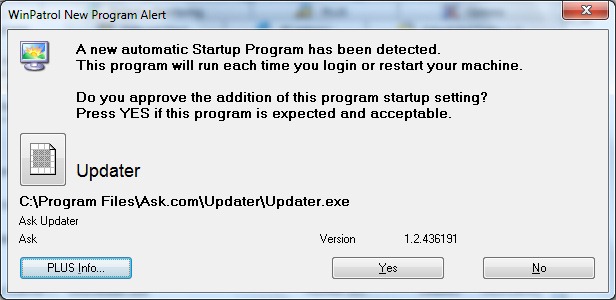
If you have experienced a crash or screen like I’ve displayed below I have an immediate fix you’ll want to know about. You can use the solution provided here and watch for a new version which should be available by tomorrow..
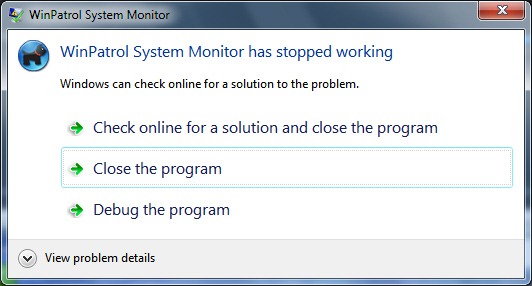
It appears this new error could be related to recent updates of either Windows, Java or Flash. Ironically, it started to happen right after I wrote a critical article about updates adding the Ask Toolbar and/or McAfee Security Scan but I would hate to think it's related. The only reason I installed both Java and Flash was to capture screen shots for my blog article.
The most likely cause of this problem is something included in the recent Windows Update. I hope to isolate the problem so I can report it to Microsoft. Unfortunately, my first priority is to respond to all the Email from WinPatrol customers.
I have duplicated this behavior and I have already have created a version that works. I had hoped to include more features in the new version but instead I will be testing it today and it will be available as soon as I'm comfortable.
I have found that downloading the WinPatrol Enterprise Edition will fix this bug. This version 26.5.2013 is available at http://www.winpatrol.com/download.html and can be used by both Free and PLUS users. You don’t have to subscribe to WinPatrol Enterprise.
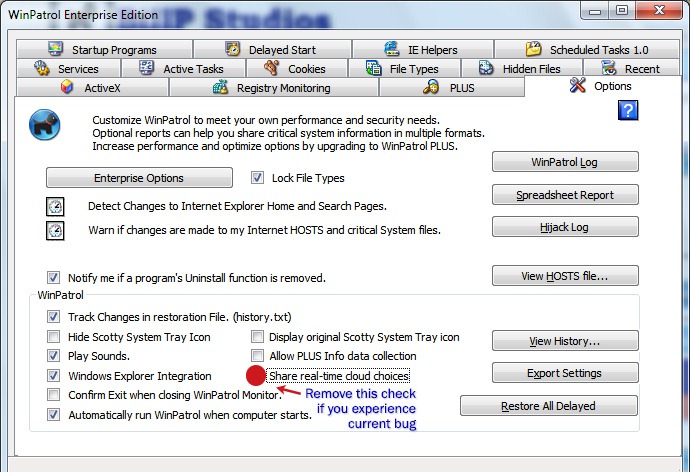
The other easy solution if you really miss having Scotty on patrol seems to be removing the check box on the Options tab that says, “Share real-time cloud choices”. I haven’t fully tested this but it is something related to code which happens immediately after you make a choice on the Alert screen. What WinPatrol keeps in our cloud is the decision you make on keeping or removing a program. We collect these choices and make the totals available to WinPatrol PLUS members. This feature helps you make a decision based on the choices of other WinPatrol users. After we fix this bug I hope you’ll recheck this option and participate so WinPatrol users can continue to help each other.
If you notice problems this week with other programs I would be interested. For instance, my laptop is now failing to play sound and I get a message about my sound driver. While I can fix the WinPatrol bug I’m anxious to know why it suddenly occurred and which Windows Update resulted in this change.
If you see anyone post about this problem in a forum feel free to let them know about this solution. Testing the new version will take priority over my participation in forums or responding to most Emails today. I am confident that I will have a new fully tested build by the end of the day.
Another bit of irony, one of the new features planned for the newest release is a way to notify users when a new version is available. That feature has been tested and will be included in the new version.


