


Every file on your computer has a designated type. Some types contain programming code that performs an “executable” action, while most contain data used by an assigned program. For anyone using a Windows computer the file type has traditionally been designed by a three character extension separated by a Dot character. Microsoft Windows now hides this extension but that’s a topic for another post.
Examples of file types that contain programming code executed by Windows are .EXE, .CMD, DLL’s. Common examples that contain data include .TXT, .MP3, .JPG, .DOC and many others that can be registered in Windows. There are also executable “scripts” but they’re essentially data for a program that runs their commands. Examples include .VBS, .REG, .WSH
In the old days ( 2–3 years ago ) we preached the dangers of never clicking or opening any executable file type and considered data types as safe to open. Sadly, this is no longer true. Malware authors have found vulnerabilities that have allowed them to embed program code within a data file and trick Windows into running it.
What you’ll want to know about any file type is their “Associated” program. This is the program Windows runs when you click or open the file. Windows will run the associated program and tell it to open your file. Which program Windows chooses is actually designated in multiple places but there is an option screen that allows users to make changes.
The following can be found under the Windows Explorer(Windows key + E) Tools menu when you select “Folder Options….”
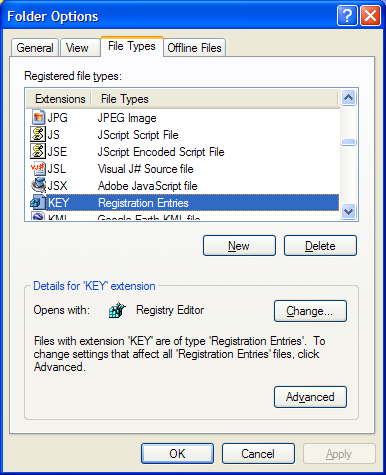
This dialog allows you to change which program will open for any particular file type, but for most people this screen will never be used.
Vista users won’t find this feature under Folder options. Instead click on the Vista Start Orb, and select “Default Programs”.
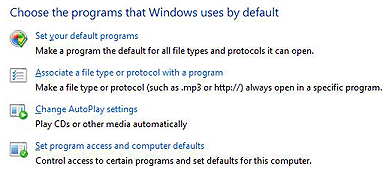
In most cases, file type associations will be changed by a newly installed program that you add to your system. Many an unwanted program or Spyware will modify file type associates to hide themselves or to allow them to run unexpectedly.
For a long time, malware authors used .VBS(Visual Basic Script), .REG(Registry script) and even .SCR(Screen Saver) file types to introduce infections. This was so common that most Email programs will block these files types just like they block EXE’s. Some security programs may even re-assign these types to safe programs like “Notepad” without letting you know. This can be annoying but might be a reasonable approach for novice high risk users.
Many legitimate programs may change a file type association so it becomes the program of choice. Well behaved programs will offer you an option when you run their setup programs.
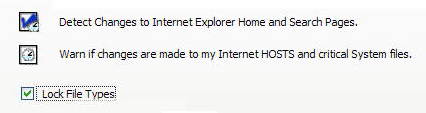
One of the lesser known unique features of WinPatrol is File Type Protection monitoring. If a malicious program tries to hijack a system critical file type associations, you’ll be alerted and can prevent the change. This can also be useful if some normal program tries to change your favorite Media Player or Photo viewer without letting you know. If you don’t want to be alerted, you can also just check the option “Lock File Types” and WinPatrol will always protect the file types you’ve chosen to remain the same.



0 comments:
Post a Comment