


Yes, I’ve been critical of auto updates in the past. I’ve documented numerous problems. While I have always considered them evil, yesterday was the first time I’ve been personally burnt by a simple Microsoft system update.( KB951748: Security Update for DNS Server)
The trouble appeared immediately when I rebooted my dual monitor XP desktop following the Windows update. For some reason my Start button and all the desktop icons were on my 2nd monitor on the right. How this relates to a DNS Server is still a mystery to me. Software is so complex these days you just never know.
Normally the dialog below is be used to specify your primary monitor and the order of any extended monitors. Try as I might, I still wasn’t allowed to change things back so my left hand monitor was primary.
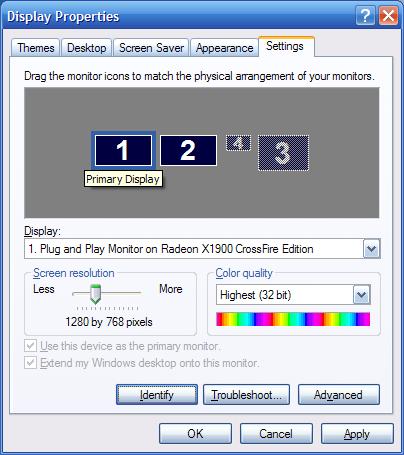
So, today my only solution short of a system restore was to physically re-arrange the monitors on my desk. No big deal but obviously, something is wrong with this picture.
A side note for other old guys like me. I actually used to have three monitors. While it impressed everyone who entered my office I found it was also responsible for some of my chronic neck and shoulder pain. Two monitors seem to work fine as long as I can keep my primary monitor on the left.


0 comments:
Post a Comment