There has been a lot of talk lately about the newest beta software for Internet Explorer 8. Most of the talk has been very positive but I haven’t been one of those to have the greatest luck.
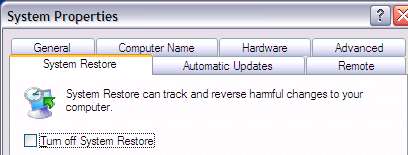
My new IBM ThinkPad didn’t like IE8 beta 2 but thanks to the system restore applet I was able to back to where I was. I tried to update but all it did was remove IE7 from my system. I had to reinstall IE7 using Firefox so it’s a good thing Microsoft now supports FF on their websites. The Gateway desktop machine had a more mysterious experience.
Today, Windows update told me I had new software to download. I was extremely surprised it told me the update was Internet Explorer 8 Beta 2. I hope this isn’t typical behavior but on my desktop Microsoft was telling me to install beta software as a normal Windows update. I really hope people with updates set to automatic aren’t getting beta software without asking for it.
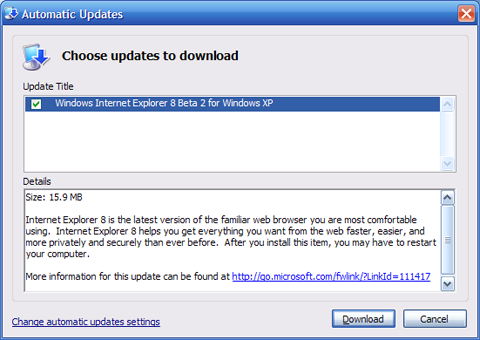
I decided for the sake of my readers it might be worth checking out IE beta 2. Downloading beta software, especially system software is not something I recommend to others. After spending the morning fixing my desktop machine from a failed update, I really recommend staying away from IE8 beta 2 for now.
I can’t explain why yet but after my update, my system was downgraded to Internet Explorer 6.
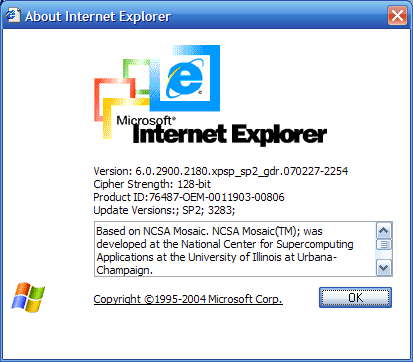
After that I started to receive new update messges including the upgrade to XP Service Pack 3 which I had already performed. My computer refused to boot after this next step so I went back to my last working configuration to save my sanity. Hopefully, the only reason I received an update was because I had previously installed IE8 beta 1.
I really want to see the new features in IE8 beta 2 but for now I’ll read about them online. I recommend you all do the same.