


Yes, you can get something for nothing and it’s amazing how much software is available for free. No, I don’t mean the offers you get as spam for free Microsoft Office or Adobe Photoshop. A lot of folks like myself provide software for free and a number of web sites evaluate free software and encourage you to visit their sites.
While my first recommendation for everyone is to download the must-have WinPatrol program, I have some serious warnings before you go crazy populating your computer with free software. Anytime something changes on your computer you run a risk of problems so in the words of Wayne Campbell , “We fear change”.
The worse thing you can do is go is going surfing various web sites, downloading and trying out piles of free software. Every time you install a new software you risk future problems on your computer. Not only will installations add new registry entries, and change system settings but they could also add software you never would have installed if you were paying attention. It’s still very rare to find an Uninstaller that really returns a system to its state before installing software.
Know the software you’re downloading. Don’t just take your friends advice. Search online for reviews and recommendations. Have a complete understanding what the software will do and decide if you will use and need the functionality the software you’re installing. Ask yourself, “Is this something I’ll really use”?
When installing new software watch for pre-checked boxes that may have you downloading some kind of toolbar that you really didn’t want. I personally think these pre-checked boxes are evil and insulting. Suppose I defaulted my WinPatrol PLUS order form to 10 copies and then blamed users for not noticing it when they wanted their money back for 9 copies.
Even though Microsoft has made it possible for programs to install and be removed with restarting your system, Rebooting is your friend. Even when I install or remove commercial software I like having a my system is in a predictable state. I’m also a big fan of the Windows System Restore. Creating a Restore point is easy and quick before installing something new. Create a Restore point by clicking on the Start button -> Programs -> Accessories -> System Tools -> System Restore.
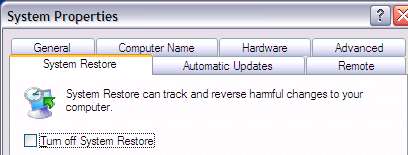
System Restore is your friend
Free Software Sites
A long time advocate and free software researcher known as (Ian Richards) Gizmo’s Tech Alert is great place to start. Ian doesn’t do fluff reviews and over the years his critical look at WinPatrol has been the source of many improvements. Ian recently joined the good folks who do the Windows Secrets Newsletter which I also highly recommend.
Some other favorite sites include http://freewarewiki.com/ and http://freeware.it-mate.co.uk/
CNet’s Downloads.com has long been a useful site for downloading free software. While I’m always a little skeptical of their user reviews, their editors have years of experience. My only issue with Downloads.com is their Most Popular list rarely changes because many programs remain popular just because they’re on the list. A few years ago, CNet took major steps to clean up some borderline adware and spyware in their download libraries giving up some major advertiser$ in the process.
Other sources I trust include the PC World’s Download This from Laura Blackwell, radio personality Kim Komando, fantasticfreeware.com/, MajorGeeks.com and BrotherSoft.com which includes many foreign language sites.
Who do you trust for free software? Leave a comment and share your thoughts.


0 comments:
Post a Comment