Billps Tudios

  • Subscribe to our RSS feed.
  • Twitter
  • StumbleUpon
  • Reddit
  • Facebook
  • Digg

Monday, 6 December 2010

New Facebook Design Makes You Share More

Posted on 09:35 by Unknown

Even Mark Zuckenberg admitted on CBS 60 Minutes the new Facebook homepage is designed to get you to share more information.  He should be very happy today because it’s working like a charm.  I’ve seen updates that show most of my friends have been adding details of their personal and profession life.

Here’s an example of what my new home page looks like when “I” go to it.newfacebook
This is what I see on my Facebook homepage

You’ll notice there are two items which appear to be missing information. Facebook put it right on top and makes it easy to just click and update my work and current city.  My instinct like most people is to click and update this information so my friends can see it.

But guess what?  If I look at my home page with a different account it doesn’t look like I’m missing information.

newfacebook1
This is what friends see on my Facebook homepage

When viewed by my friends only the information I want to display will appear. It doesn’t make me look like I’m not cooperating. The changes in Facebook are designed to entice you to share more information.  Everywhere on the page you’ll find “Edit” links encouraging you to add more information.

You’ll also notice the photos of me are different. There is no way to edit the photo bar to pick which ones appear.  Facebook really needs to add this feature.

If you’re shy and you don’t like the photo bar there is one option. Go to the Facebook Privacy settings and click on Custom Settings.  Scroll down to “Photos and Video’s I’m tagged in” and click Edit Settings.  You can set this option to “Only Me” and that will do the trick. Unfortunately, it removes the photo bar and also removed the photos from your regular photo album as well.

newfacebook2


If you’re going to use Facebook remember, you control what information you share.   At least if everything works as advertised that’s true. Zuckenberg also fosters an environment where developers race a clock to get things done. That really doesn’t give me a lot of faith in his promise to protect my privacy.

Read More
Posted in | No comments

Wednesday, 1 December 2010

Remove AOL Buggy Search Window

Posted on 16:43 by Unknown

I don’t know how many of my readers still use AOL but thanks to my wife Cindi I have what may be a great tip for you.  (Yes I just can’t call it “Aol.”) If you do use the AOL client software you see many windows when you sign on.  By default one of them is the AOL Search window.

aolsearch

For some reason the last couple weeks, according to my wife Cindi, the AOL Search window has included this ugly screen with what looks like bed bugs on it.  I agree with Cindi that we don’t need to see any more news reports on bed bugs.

Cindi finally had enough today and clued me in on what she was seeing every time she signed on to AOL. Apparently, I already knew the following tip because I never saw this screen even though I still use AOL daily.

If you click on “About This Page” AOL does include steps on removing this window from your sign on.  Thank you to whoever at AOL pushed to make this option available and easy to find.

All you need to do is use keyword(Ctrl+K) “Search Window”.
aolsearch1

When you go to this keyword you’ll see the following.

aolsearch2

Yay!  I love Opt Out options.

Just click the button and you’ll lose the default AOL Search window. You can still use AOL Search which is always available just under the main menu. If you Opt Out you won’t have to see the ugly window with bugs on it.

aolsearch4


UPDATE: It appears some of my friends at Aol. may read BitFromBill.com. After weeks of not getting updates the AOL Search window had a new graphic today.  Happy Hanukkah!

aolsearch5

Read More
Posted in | No comments

Monday, 29 November 2010

Favorite Tips for Online Shopping

Posted on 07:10 by Unknown

It’s been five years since media coined the term Cyber-Monday but the truth is everyday is a  great shopping day online.  I planned on writing an article about the safety of online shopping but noticed everyone was already doing it.  Many sites provide the same duplicate tips. So I thought I might include some of the best tips and post them along with my favorites.

Eric Griffith wrote a good article for PC Magazine called
11 Tips for Safe Online Shopping. 
One unique tip from Eric was
Don't Tell All
”No online shopping store is going to need your social security number or your birthday to do business. But if a bad-guy gets them, combined with your credit card number for purchases, they can do a lot of damage. When you can, default to giving up the least amount of information.”

It amazes me how many free Email and other password reset schemes still use easy to find information like your high school, pet’s name and birthday. This kind of information is something that you should keep private.  When you do answer these questions make up answers that you’ll remember but aren’t accurate.


Corrine at Security Garden wrote her
Online Shopping Safety Tips including,
HTTPS://

”At checkout, the site web address should be https: and there should be a closed padlock there or in the lower right corner of your browser.  If not, forget about it.  You will be giving away your credit card information!” 

paypallock
Using PayPal with Internet Explorer notice the “https”

yahoolock
Yahoo Online Store using Google Chrome

For years I’ve heard people say they’re afraid to use their credit card online. As long as you see the https your credit card is safer than it is when you give it to the waiter at your favorite restaurant.


Webroot's safety tips for holiday online shopping included a tip that doesn’t just apply to shopping.
"Go straight to the site.
Rather than browse to online retailers through a search engine where you may encounter malicious links, type the store's URL directly in your browser.”

The bad guys are experts at search engine optimization and frequently “poison” search results with web sites you really don’t want to visit. Just because a web site is the first or second listed on Google doesn’t mean it’s safe. In many cases, the opposite it true.


I have some of my own best tips and the following tip was mentioned in all the articles I’ve mentioned so far.

Don’t use Public WiFi
It used to be only a real hacker with proper tools could capture your data when you used a public WiFi connection. Now the tools are available to anyone so shopping or any use of public WiFi comes with a real security danger. One of benefits of smart phone tethering is you can connect your laptop to your phone for a connection instead of using a public WiFi even if it’s free.


Special Check Out Offers

When you order is complete don’t be surprised if you’re offered a survey, free shipping or other offer that promises to take $5.00 or more off your last purchase. If you read the fine print you’ll find this check out offer may actually a membership. By accepting the offer you may be agreeing to being billed regularly for a membership you don’t want or need.


Take your time!

Don’t rush. Be sure to check into the shipping policy of the store and/or item you’re going to purchase.

Shipping Costs
There are some nice comparative shopping sites and even apps for your smart phone so you can find the lowest price available. Price isn’t everything.  You’ll want to be sure what the shipping costs are. Some times cost is based on price and not weight. Even if they ship in the same box, ordering multiples of the same item stores will multiply the shipping cost.

Shipping Date
Pay attention and make sure the item is in stock.   Be sure your ship date is well before you the date you need to have it wrapped and under the tree.

Return Policies
Lots to consider here but the one to watch out is the dreaded restocking fee.


Three years ago I wrote an article called.
Top Ten Online Shopping Mistakes

Most of those mistakes are still possible including…
False Credentials
”Just because a vendor displays images from the Better Business Bureau or eTrust doesn’t mean they really have been approved.  If buying from an unfamiliar store verify they really do have the credentials they claim.”


If you’re looking for a very unique gift to keep you family and friends safe I also recommend the Gift of WinPatrol PLUS. :)

Read More
Posted in | No comments

Tuesday, 23 November 2010

Saving Your Sanity for the Holidays with WHS

Posted on 10:12 by Unknown

Is there a good chance you’ll be under a little stress during this upcoming holiday season? Perhaps you already have a little stress in your life. How much would a hard drive crash or virus infection add to your normal anxiety?

There are some simple steps you can take to prevent the trauma of losing all your precious photos, music, financial data etc… As a security professional I’ll share a secret with you. There is no AV software or anti-malware technique which is 100% fool proof.  Anyone can get infected and have their computer compromised. It doesn’t matter if you’re using a Mac, Windows or even a virtual machine, there are no guarantees.

My number one tip for keeping your data safe hasn’t changed since you purchased your first computer. In a single word, BACKUP! It’s not unusual to hear that people have formatted their computer or even purchased an entirely new computer after getting infected by malware.

Do you have a regular backup procedure for your computer?  If not, stop reading this and create a backup plan that will save your critical data and prevent you from having a nervous breakdown. You’re going to have enough crap to deal with over the next month don’t let your computer become one of your concerns.

My recommendation isn’t necessarily the cheapest but it’s reliable and less expensive than any data recovery service. It could also save your sanity. This isn’t the first time I’ve talked about a Windows Home Server. A WHS is a stand alone device which connects to your network and automatically saves data from every computer, laptop connected to your network.  Once an initial backup, it will only backup changes and can do so on a daily basis.

whs 
HP EX490 1TB Mediasmart Home Server

This 1 TB Home Server is currently available for $425 but includes many more features than just a regular backup. I have added additional hard drives to my Windows Home Server and it currently backs up two desktop computers and two laptops. Since my investment, I’ve used it three times to rebuild a system that were either compromised by a Trojan or failed due to a bad hard drive. It helped save my sanity and perhaps my marriage. :)

If you already have a solid backup plan in place than consider a Windows Home Server as a gift for one of your friends or family members. It may not be as exciting as the Xbox Kinect but at some time in the future you’ll be someone’s hero.

Cloud Backup
My friend Cathy recently asked about online backup services…
”My nephew has had his 2nd laptop stolen at college.  It's so frustrating - he loses so much. All of his papers, homework, etc.  I thought maybe I'd buy him a subscription/membership to an online file storage site for Christmas,”

Online backup has one major advantage. It’s offsite so in case of fire or other disaster at your location, your data will be safe.  I’m confident in the safety of data being stored online but there’s one reason I haven’t subscribed to any online backup services.

Most internet service providers don’t provide a lot of bandwidth for uploading data.  Instead they assume customers will be watching videos and downloading music. If you’re like most consumers your upload speed will be 5-10 times slower than your download speed. One of the exceptions is Verizon FIOS which provides my internet connection. Even with an upload speed of 20 Mbps it would take me a month to backup my desktop to an online service. There may be a future in online backup, but it’s still in the future.

Happy Holidays
This week the holiday season officially begins so have a happy one. Keep your data safe and when you’re shopping online please be careful.

Read More
Posted in | No comments

Wednesday, 10 November 2010

Beware over ambitious clean up programs

Posted on 08:54 by Unknown

Last month I wrote about problems caused by the security company McAfee. An update from McAfee falsely accused my WinPatrol program of being a dangerous Trojan. A slow response from McAfee cost some business but mostly hurt our reputation for over a week.  I’ve had a number of people ask me how things were going since this annoying experience.

Unfortunately, my story isn’t unusual. What we call “False-Positives” happen all the time and reputable companies take them serious.  Most companies certainly don’t want to cause more harm than they help.

There’s another potential danger from programs promoted as Registry Cleaners and/or system optimizers. They can also delete program files or registry values that they decide may be harmful. How they decide what needs to be cleaned appears to be arbitrary. Currently, the only program of this type I recommend is Optimize 3 from PC Pitstop.

My most recent efforts have been to contact folks with Piriform a company who distributes a program called CCleaner.  This program is well respected as a utility which will help clean up your computer claiming to make it run faster and more secure. One of our friends found out if you’re a WinPatrol user CCleaner will remove one file you’ll want to keep.  CCleaner does provide an option to exclude WinPatrol which for now I recommend unchecking.

ccleaner 
While I’m honored to be included, WinPatrol users will want to uncheck this box.  The history.txt file is an important file you won’t want deleted. The history.txt file stores a lists of actions you took using WinPatrol. If for some reason you want to recover a change you’ve made it won’t be possible without the history file. If at sometime you want to clean up this file WinPatrol already provides a button to initialize it.

wpcleaner 
I’m hoping to contact someone at Piriform so I can let them know what might be useful to clean without hurting WinPatrol.

My experience with McAfee wasn’t the best but they’re not alone. There’s an company in Norway called Norman which continues to classify WinPatrol as a Trojan even though I’ve contacted them multiple times. Since they’re not very popular in English speaking countries I haven’t had many complaints but I’m sure it has hurt our reputation in Europe.

I have however had some good experiences. In the past month I’ve had two reports of false positives caused by new software from Panda Security. After my first report last month they updated all their users and resolved the problem within 24 hours. This weekend I started to get new reports but they had it fixed before I found the time to report it.

Another security company ESET tells me their test procedures are so extensive that WinPatrol is included when they test any new signature files.

I’m also a big fan of the site VirusTotal.com.  If you ever find a suspicious file you can uploaded it to VirusTotal and have it evaluated by up to 43 different anti-virus signature files.  VirusTotal also allows you to join their community and comment on files you test.

virustotal


Update 11/11: I heard early this morning from a rep from Piriform and they have agreed to leave the history.txt alone but will continue to include WinPatrol logs in their clean up. Thanks!

Read More
Posted in | No comments

Monday, 25 October 2010

WinPatrol 19.1 Fixes Missing 64 bit Programs

Posted on 15:38 by Unknown

I haven’t been a big fan of Windows 64 bit systems mainly because it means more work for me as a programmer.  Microsoft spent a lot of time trying to make sure that all 32 bit programs continued to work under Windows 64 bit.

Unfortunately, my WinPatrol program isn’t your normal application. It peers deep into the system and reports back system information which may not be available to most programs.  WinPatrol has continued to run successfully on 64 bit systems but until now Scotty wasn’t getting all the information available in 32 bit applications.

services
WinPatrol 19.1 Services screen

Thanks to the feedback from our WinPatrol friends who use 64 bit systems and some great documentation from Microsoft Development Network, our new version works as it should.

If you’ve been happy with WinPatrol 19.0 and you’re not a 64 bit user there’s no rush to download the new version.  The only other change is cosmetic. Scotty will now display default icons when a program or file doesn’t have their own icon.  If you do have a 64 bit system, you’ll want to download 19.1 as soon as you can.

http://www.winpatrol.com/download.html

Read More
Posted in | No comments

Sunday, 10 October 2010

McAfee Continues to Harm WinPatrol Users

Posted on 03:55 by Unknown

In the security industry it’s especially nice that many companies get along and often help each other. WinPatrol may not be considered competition but I still have great relationships with folks at SunBelt Software(now part of GFI Software), MalwareBytes, Kaspersky, ESET, Microsoft and even Symantec. One company who apparently has no interest in working together is McAfee now owned by Intel.

Two weeks ago McAfee changed one of their signature files and it started to tell all their customers our WinPatrol setup programs was a dangerous Trojan named Artemis!4FAE1D776481.  A week ago I finally found the correct procedure to submit my file and report their “false-positive” error. I was told by an automated Email that their test was inconclusive and the file was being sent to Bangalore India for more research.

October 4th   McAfee Labs – Beaverton
Current Scan Engine: Version:5400.1158                                                 
Current DAT Version:6120.0000                                                         
Upon analysis the file submitted does not appear to contain one of the 200,000 known threats in the AutoImmune database. The file may contain a new threat, or no code capable of being infected.

October 6th McAfee Labs Sample Analysis
Issue Number:  6239937   Virus Researcher: Vivekanandan C
McAfee Labs, McAfee Labs, Bangalore, India

Synopsis - File Name - wpsetup.exe

We are forwarding the inconclusive samples to our Senior Research Engineers for further review.  We will get back to you once the researcher has completed the evaluation.                                                         

It’s not unusual for Anti-Virus companies to report “false positives”. This has happen a few times in the past but other companies had quick responses and were anxious to fix their errors. The same is not true with McAfee which is now owned by Intel.

This mistake by McAfee came at a time when a brand new version of WinPatrol was released and widely promoted. I can’t begin to imagine how many customers I’ve lost because McAfee wouldn’t allow them to install WinPatrol. I’m sad to say many believed McAfee and will never trust WinPatrol. This is a great insult to their users and the entire WinPatrol community. Even now hundreds of copies of the falsely identified versions are still available on websites like CNET’s Download.com.

mcafeereview
Recent Reviews on CNET Download.com

The reviews above prove how McAfee has damaged WinPatrol and it’s reputation. Even the folks who know that McAfee is wrong, have been giving us low ratings on CNET hurting our review status. Click here to post your own review.

cneteditors 
Thankfully CNET editors don’t use McAfee


Instead of waiting for McAfee and losing more customers I have re-created our setup program by purchasing a new install package called Tarma InstallMate 7.  McAfee does not report a false problem with this new setup. If you’re still a McAfee user or you have a copy of wpsetup.exe on your website, you can download this new file from http://www.winpatrol.com/download.html. If you have already successfully installed WinPatrol 19, the Cloud Edition, no action is required. All the installed files are the same as our previous setup.

UPDATE 10-10-2010
It’s always nice to have friends like Steven Burn who manages the website www.it-mate.co.uk.  Steve was helpful in getting a response from McAfee.

Just checked our database. That particular file was whitelisted today, Oct 10 2010 (Sunday, BTW :)) , by a McAfee researcher in Bangalore, India. So, the detection should go away soon as the "news" spread through the cloud
(Artemis is our "in the cloud" detection technology).
Dmitry Gryaznov

I have confirmed using VirusTotal that we test clean. Dmitry and a few other corrected me when I said McAfee was owned by Intel. This transaction has not been completed so Intel is not currently involved with any operations at McAfee.

Read More
Posted in | No comments

Friday, 8 October 2010

Microsoft Most Valuable Professional

Posted on 21:36 by Unknown

For the third year, I’m proud to announce I’ve been awarded the Microsoft  MVP (Most Valuable Professional) status. I’m especially honored to be recognized as one of a number of bright and outstanding individuals who devote their time helping others.


“At Microsoft, we believe that by participating in technical communities, MVPs enhance people's lives and the industry's success. Your participation in these communities promotes the free and objective exchange of knowledge. You are recognized in technical communities as a reliable, independent expert, benefiting all who participate in communities. Your expert advice and influence in technical communities help users adopt new technology and help Microsoft understand and meet our customers' needs.”

mvpkit2009
My first MVP Kit

When I received my first MVP award I was surprised since I’ve been known to be critical of many Microsoft projects.  I’m impressed and humbled that the folks at Microsoft awarded me with this title.  I’m thrilled to be included in a group of exceptional professionals.

I would especially like to thank those MVP’s who nominated me along with Brian Boston, Jake Grey and Emily Freet for their support.  I look forward to next years MVP Global Summit in Redmond and meeting more of my fellow MVP’s.

microsoft

In 1995-96 I worked at the Redmond campus so it’s always a pleasure to re-visit my old office. I worked on a secret skunk-works project called the “Information Highway PC”. This was before YouTube, Google, Facebook, Hulu, Netflix and Slingbox ever existed. Most of what we discovered has been integrated into Windows 7. and even the newest Microsoft Phone 7.  In addition to coding, I participated in setting up focus groups, hiring new employees and learned a lot from mentors Dan and Gabe Newell.  I wasn’t able to stay in Redmond due to the distance from my kids but I was always treated well.  Getting MVP status makes me feel like a member of a team again which is especially important for someone who works alone out of a home office.


mvpYou’ll continue to see my proud MVP award image at the top of this blog. While I’m under Non-Disclosure Agreements for many projects, I’m still able to voice my honest opinion and will continue to share information I hope you’ll find my bits useful and/or entertaining.

Read More
Posted in | No comments

Wednesday, 29 September 2010

What on Earth is “Cloud” Computing

Posted on 08:44 by Unknown

The new big buzz word in the computing world is “Cloud” computing. In the past I’ve been critical of the concept and even poked fun at Cloud Computing.  Last month I released WinPatrol Cloud Edition and quickly learned that most people have no clue what Cloud computing means.

In simple terms, Cloud computer refers to having programs and data reside on an outside network device instead of permanently on your local hard drive. In theory it turns your browser into a flexible smart terminal and the main program you execute. The program you run and data you store is somewhere else on the planet similar to the old concept of a main frame. 

cloud
Even the term cloud comes from the representation of actions defined by newer tools used to create programmer flow charts.

So why are we going backwards to terminals and main frames?  It turns out in this day of application embed browsers and high speed internet “some” applications are very well suited for a cloud environment. If you’re using Amazon or Facebook, you’re already using a cloud application. A cloud can be public or private and becomes most valuable when a service or data can be shared.

You may be surprised to learn data including your photo may already shared by various cloud applications. Here’s an example of how my Email add-on called Xobni uses data uploaded to the LinkedIn service. This information is automatically displayed if I select an Email from Chris.
cloudchris


Other applications may use your photo along with information from your Twitter or Facebook account.  While I love having someone’s personal data available while answering Email you might want to consider reviewing some of your privacy settings on various social applications.


The WinPatrol Cloud
The planned release of my new software made me wake up to how little folks understand about the Cloud Computing. The WinPatrol Cloud Edition is considered a “Software-as-a-Service” version of a cloud and relies on a collaboration approach to bring a huge value to all it’s users. There are two parts to our new PLUS service.

One part is based on software behavior and actions taken by WinPatrol FREE and PLUS users. The WinPatrol cloud will track how users handle their decision to handle configuration changes. This information is accumulated continuously and will be available to other WinPatrol PLUS users.  It’s like the Millionaire's "Ask the Audience" feature.  User based information is available now and in the future additional information on software behavior will help users decide if a program is worth keeping.

The second part of the WinPatrol Cloud is a poll where users can provide their personal feedback on files that are detected. The poll data will be available to both FREE and PLUS users.

winpatrolcloudex Click image for example of complete information available to PLUS users.


Resources:
microsoftcloud
Microsoft | Cloud Services


amazoncloud


 googlecloud
Google App Engine

Read More
Posted in | No comments

Tuesday, 21 September 2010

WinPatrol Cloud Edition Public Beta

Posted on 21:18 by Unknown

cloud1

WinPatrol Adds the Newest Technology Available.

You’ll now have access the knowledge of thousands of WinPatrol users shared in real-time within the new WinPatrol Cloud.  You’re not working alone anymore when you have to decide on keeping or dumping a file found on your system.

The new WinPatrol Cloud Edition allows collaborate and share feedback on both legitimate and malicious files found on their system. When requesting PLUS Info users will have even more information to base their decisions on.  Even WinPatrol Free users can participate and will benefit from the over one million WinPatrol users. While WinPatrol is over 11 years old, the new Cloud Edition adds the newest technology available to already proven, popular software.

cloud2
One example of shared Cloud data.
Want to see the full page of PLUS Info just click the image above.

Additional Changes

  • * Fixed bug monitoring DWORD registry types
    * Fixed bug in changing Service status.
    * Quicker Detection of real-time changes.


This is still a beta and only the beginning.  As more shared data becomes available and beta testing continues the results will be the most stable, powerful version of WinPatrol in years.


Interested in testing?

Download WinPatrol Cloud Edition Beta

Read More
Posted in | No comments

TWITTER ALERT

Posted on 06:23 by Unknown

Anyone who uses Twitter, DO NOT use the Twitter web interface until further notice.

There is a code injection vulnerability being used that will send malicious tweets in your name just by mousing over an infected message.

If you’re using Twitter use your phone or other device, not the web interface. 

If you see this message then you’ve retweeted the infected message.

twitterbug

If you can, use your phone to delete your last message.

Here’s an example of what you may never see, but you may repost without knowing it.

twitterbug1


Update: Twitter Security Team reports this XSS attack has been fully patched.  Personally, I’m going to wait until later today to use the web interface just in case. ;)

Read More
Posted in | No comments

Sunday, 12 September 2010

Forget the DVD & Save on your New Laptop

Posted on 14:58 by Unknown

I’ve written before about the coming death of the CD/DVD’s for data storage.  While that time hasn’t come yet for desktop there is one realm where CD/DVD players are no longer needed. If you’re getting ready to purchase a new laptop the one place you can really save is by shopping for a machine without a CD/DVD player. Not only will you save cash, but you’ll also save big time on weight and energy consumption.

What about Installing Software?
One of the benefits of a CD/DVD player has been for installing new software that is sold on disc format. In these days of broadband access, it’s more common to install entire applications from the web. If you’re using a home network with any other computer that has a CD/DVD then you already have one. It’s a simple process to set any CD/DVD as a shared device. It can then be mapped to your laptop so it behaves like a local device. Windows 7 makes it even easier.

What about listening to music or watching movies?
My guess is most of you have little devices called iPods, MP3-Players or Smart Phones that store plenty of music and even play movies. Why would you use all the power on your laptop to play a movie off a DVD when you can read it off an alternate digital storage device. If you don’t have one now you’ll be able to afford one by not purchasing a CD/DVD on your new laptop.

Invest the cash you save
I was asked to write an article about saving money. So, you’re saving money by not having a CD/DVD let’s spend it!
ssd1 
The most expensive new option on laptops is the one I recommend the most. More than CPU speed, 64 bits or even memory I encourage folks to choose a Solid State Drive(SSD).  I’m sure I’ll get some arguments and hopefully the future will bring better prices I put a high value on my data now. The cost of data restoration for a normal hard drive will be more than the cost of your laptop. 

The next time you’re on a plane look up at the overheard compartments and check out how much vibration there is even on the smoothest flight. A SSD is more expensive but has no moving parts. It may hold less data but if you’re on a home network you really want to store much of your data on a single networked machine that performs regular backups.

ssd
Prices via www.lenovo.com 9/12/2010

Do you really need 500 GB on a laptop? Two years ago I could only get a 64 GB SSD on my ThinkPad X61. Even with 10 GB used for restoration data I still have 14 GB free. That’s amazing considering I have all my development tools(Visual Studios 2010), photo tools(including Photoshop), video tools and Microsoft Office Ultimate all installed on this system.

ssd64

While I do store a number of photos and music on my laptop, most of my photos are saved on a network drive which can also be shared by other family members.

If you have other ideas on saving cash on a new laptop let me know.

Read More
Posted in | No comments

Saturday, 28 August 2010

Results from Unemployment Give Away

Posted on 17:09 by Unknown

Over the years I’ve offered special discounts or have used the proceeds from WinPatrol to help when I could.  One common benefactor of our support have been veterans.  My favorite special event was Veterans Day in 2008. BillP Studios donated over $2000 to our local Honor Flight Network helping to cover the costs for WII veterans a chance to visit their memorial in Washington DC.

This month I decided to give away WinPatrol PLUS to unemployed job seekers hoping they could spent more time seeking and less time trying to resolve computer problems.  Click here for more details.

I knew this give away would be different but I have been overwhelmed by the reactions. The mail I’ve received from current WinPatrol fans has been very positive and it makes me proud.  The comments included in the requests from unemployed job seeker however caught me by surprise. While everyone is grateful and happy receiving free software reading between the lines I can tell how truly desperate and beat down many people feel.

I can tell from our comments that many are in serious desperate situations.

“Thanks so much for providing this !! I have been unemployed for over a year now and the job market just doesn't seem to be getting any better “

From Jeff

“Right now I must worry more about keeping the lights on..... but mark my words: I won't forget this kindness and will pay you in full when I am able to do so.

It just makes a person feel better knowing that someone out there cares about others.”

Bless you !!!”

I am pleased that folks were proud enough to participate and accept our free offer. Most everyone was able to produce some proof of the frustration they’ve experienced trying to find work.

unemployed

Sorry I wasn’t able to provide a free code to everyone who havesuffered financial problems but this special was aimed at unemployed job seekers. I’m sure we’ll come up with other specials in the future for those in real need.

This offer is still good but only during the month of August so if you haven’t, act now to take advantage of this free give-away.

Read More
Posted in | No comments

Friday, 20 August 2010

Free Security for People Looking for Work

Posted on 08:16 by Unknown

(Scotia, NY) WinPatrol Supports Unemployed Job Seekers
It’s no secret that the unemployment numbers around the world are at an amazing high. At least once a week I receive a plea from someone who is unemployed asking for a discounted upgrade to WinPatrol PLUS.

For someone looking for a new job, a computer is a must have tool. Unfortunately, they’re also the targets of scam artists who take advantage of folks who need help the most.

In response to the need to protect and help the unemployed I’m giving away our $29.95 single user license with all the benefits of our standard WinPatrol PLUS upgrade.  As a computer professional I’ve been blessed never to be without work but these days unemployment can happen to anyone. Visiting new web sites is a time when WinPatrol PLUS is needed the most. I’d much rather have someone using their time to find that perfect job instead of fixing computer problems.

All that’s required is to scan in or provide a screen capture proof you have recently received unemployment benefits or other reasonable proof of unemployment. Sorry, but you can’t just Email support@winpatrol.com and say “I’m unemployed, give me a code”. Some evidence is required but our give away is even available to our friends outside the U.S.  Requests will be will be processed within 24-48 hours.

Here’s an example of what New York State provides to those receiving benefits and the kind of proof acceptable.

unemployed

I’ve blurred out the name on this example but when you send proof you should just blur out your social security number or other private information I wouldn’t need. Send your proof to support@winpatrol.com or mail to
BillP Studios
32 Sunnyside Rd.
Scotia, NY 12302
Include your name and Email address printed clearly in your request. Your information will of course be considered confidential.

For now, this is a limited offer available until the end of August 2010.  If you know someone who is unemployed but could use WinPatrol PLUS send them here to http://bitsfrombill.com. I challenge other software companies to do the same.


* A screen capture using Windows is possible by pressing the Alt key + the PrtSc key. A image of the current window will be stored in the Windows clipboard.  You can then open your favorite paint or photo program and “paste” into a new document.  Edit out your SS# if it’s visible and attach the file to an Email to support@WinPatrol.com

Read More
Posted in | No comments

Sunday, 15 August 2010

What My Wife Loves About Windows 7

Posted on 20:30 by Unknown

My wife Cindi is a typical computer user who knows how to do what she needs and no more. She has no interest in how it all works but she expects her computer to work in a consistent manner. She enjoys learning new features but only if it’s related to her daily activities and/or makes life easier.

When her new ThinkPad came earlier this year I worried that she wouldn’t welcome the changes.  I don’t know about other geek husbands out there but “anything” that doesn’t work right on Cindi’s computer is my fault. :)

So I was nervous when I upgraded Cindi from her Windows XP machine to a brand new Windows 7 interface. To my surprise and delight the conversion was successful and Cindi has been very happy with Windows 7.

Network Discovery
The first new treat she discovered using Windows 7 was the quick detection of our wireless network. In the past, Cindi’s laptop would boot up and while it appeared to be ready it was my fault when she couldn’t get online.win7b  The engineers at Microsoft made this feature a priority and they nailed it.  Cindi can now check for new baby photos on Facebook  before her first sip of coffee.


System Tray Management
While we’re looking at the Windows 7 system tray I can tell you about another new feature that makes her happy.  Note the little up arrow that now contains all the icons that used to mess up  the system tray. win7e This keeps the Windows system tray much neater and more manageable. Considering all the great new features in Windows 7 it seems silly to just talk about system tray issues. Truth is task bar icons have always been a major annoyance to PC users.


Show Desktop
There’s one feature that I use all the time and only writing this article did Cindi finally understand one of the mysteries of Windows 7. win7c In the very bottom right hand corner is a small box doesn’t appear to have a purpose. Under the Windows 7 interface this plain little box is the “Show Desktop” feature. This is a great feature and while it was available under Windows XP, it wasn’t widely used. The implementation as a little square has confused many but once they find out how it works everyone loves it. So, if you’re one of those people who wonder why sometimes all your windows disappear, it’s because your mouse hovered over this little box.


File Search Filter
One of single most important tasks that non-computer experts have dealt with is “Where the heck did I put that file”?  Teaching users how to locate and open a file is the difference between a computer user and someone who uses a computer.

Windows has a standard Open File dialog available to developers and it is used by most applications including Windows Explorer and Word. This provides a fairly consistent interface. Windows 7 Open dialog now includes great enhancements aimed and making finding that file easier.

In my example below Cindi was looking for a document she needed for her work with Scotia Rotary.  Typing in the word “Rotary” instantly displayed a number of recent documents related to Rotary.  In addition, one of the other new Win7 features displays text thumbnails helping her find the exact document she wanted.

windows7b
Home Group

What’s even nicer about Windows 7 is that Cindi doesn’t need to know which folder her file is located in. Using Windows Home Groups her computer combines her old “My Documents” folder with other folders that have been assigned to her using the Windows 7 Home Groups.  Some of her folders are located on our home network.

Many years ago I listened to Bill Gates discuss how the future of Windows would be a “Document Concentric” system instead of focusing on loading programs. I argued the point strongly but there is the possibility I may have been wrong.  :)

Speed
One of the features that makes Cindi happiest is the performance of her new Windows 7 laptop. While having a newer machine doesn’t hurt, her Lenovo ThinkPad is “Windows 7 aware” and takes advantage of its new architecture. I’ve written before how Windows 7 has improved handling of multicore processors. I’m also an advocate of the more expensive solid state hard drives and Windows 7 knows how to make the most utilizing her primary drive which is small but has no moving parts

Power Management
One of the welcome benefits of her new laptop is enhanced battery life. Windows 7 allowed me to configure her laptop for outstanding usage when not plugged. The power management not only saves on batter life Cindi no longer complains that her laptop is burning her legs.

win7power


I’ve left out so many other great new Windows features but my point was to show how Windows 7 provides instant improvements to non-computer experts. My biggest surprise is that all these new features are being utilized with a minimal learning curve. I still occasionally get blamed when some applications misbehave but Windows 7 has been a joy.

So obviously, I no longer recommend you order new computers with Windows XP. I also recommend if you’ve been using Vista stop now and order Windows 7 as soon as possible. Your time is important and Windows 7 is a worthwhile investment.


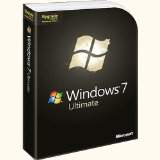
My Pick
Windows 7 Ultimate Upgrade
 
Read More
Posted in | No comments

Tuesday, 27 July 2010

National ID System Replaced by Facebook

Posted on 20:33 by Unknown

I’m always writing about privacy and my recommendations on protecting your personal information. The success of social networks like Facebook has proven that most people really don’t care about privacy. The same people who may have signed a petition against a National ID number now share their info willingly with applications on Facebook.

On July 26th, 2006, the American Civil Liberties Union released a brilliant video on how our sensitive information may be used in the future. I’m certain I laughed my ass off the first time I saw it. Little did I know how close to reality it might be in just a few years. It seemed like a joke at the time but watching it now I have a completely different opinion. Instead of fearing a government, we should watch out for the companies who have partnered with Facebook.


Click to View National ID Video
pizzapalace

The purpose of this video was to help the ALCU in their fight against a National ID system.  While it was designed to be a warning, this video can now be used as an example for creating a great social application interface.

I’m as guilty as many sharing my information although I do have my limits. Unless there’s a good reason I won’t be broadcasting my location especially when we’re on vacation. I won’t accept invitations that allow unknown companies free access to information I think I’m sharing with just my friends. As the owner of WinPatrol, so much of my information is public that it’s hardly worth worrying about.  Ironically, having multiple sources know my information can even be useful.

How about you? Have your thoughts changed since you first viewed this video years ago?  Does it create fear or does it inspire you to create a new product that might utilize a users available information?

Read More
Posted in | No comments

Friday, 16 July 2010

Why Rob Cheng Hates His Apple iPod

Posted on 09:52 by Unknown

Twice a month I write an article for the folks at PC Pitstop.  Their bi-monthly newsletter includes tips and wisdom from other tech experts that makes it a must read. Click here to subscribe.

In this weeks newsletter, PC Pitstop’s president Rob Cheng opened up a hornets net when he gave his five reasons why he hates his iPod. You can read his comments at http://techtalk.pcpitstop.com/2010/07/02/5-reasons-i-hate-my-ipod/? but I’ll share my favorite.

“Although we like to believe that Apple invented the MP3 player, it is simply not true. When I began working at Gateway in 1991, our #1 graphics card was made by a company called Diamond Graphics. I quickly became friends with the CEO and Director of Marketing. We had some good times together. Later, they introduced in the late 90's, the industries first MP3 player, the Diamond Rio. Even way back then, it was a run away success.”

Rob continues to describe how the Recording Industry Association of America sued Diamond and how Diamond went out of business. The rest is history and eventually the “iPod” became a term synonymous with a portable digital music player.

As an early adopter I had one and still have it. It doesn’t hold many songs and I have to use scotch tape to hold the battery door closed but it works! So here’s what the father of the iPod looks like. 

iPoddad

Read More
Posted in | No comments

Tuesday, 13 July 2010

Remove Your Anti-Virus Security Software

Posted on 07:37 by Unknown

What happens when you have four different security programs installed on a computer? It’s a lot like watching a slow turtle crossing the street. You sit, you wait, you stare and most of the time there’s a crash before it’s over.

I frequently have friends drop off their laptops along with the comment and the question, “It runs REALLY slow, do I have a virus?”.

Case Study: Bob’s Laptop
This week’s computer maintenance task was typical. There was no malware, trojan horse, key logger, virus or even rootkit on Bob’s laptop. So why did it take 10 minutes to boot and run so slow?  Turns out there were four, yes four different security suites installed. 

One of them was McAfee which had expired last year but was still running five different services. I suspect it came pre-installed when he purchased the computer two years ago. Even after running the uninstaller, I still had to manually remove more McAfee programs including a reminder service just in case Bob changed his mind in the future.

Next I started to remove the Anti-Virus packages which also hadn’t been updated in the last six months.  First I removed Window Defender from Microsoft. I’ll elaborate more below but the newer Microsoft Security Essentials from Microsoft does what Defender did and much more.

When I removed CA Internet Security I immediately noticed a different in computer performance.  I don’t mean to imply CA was the problem but at least we were down to a single Anti-Virus Suite. It still wasn’t as fast as I’d like but it was a vast improvement to be down to a single suite hooked into the Window kernel.

The last suite to remove was Symantec’s Norton 360. I’m not a big fan of Norton but there are some folks at Symantec who I respect for their support. They’ve become legendary in the industry but this creates a level of trust that makes some users blind to using their software properly.  Well known security packages like Norton and McAfee create a false sense of security. Users bypass learning how to properly use the product and they fail to configure the software. They often miss out on updated signature files designed to catch new threats.
I had a personal experience of this over confidence from the mayor of my home town Village of Scotia.  Once a week his computer sends me an Email with an link that I obviously shouldn’t click on. When I reported this, his response was “I’m sure my Norton will take care of it”.  The mass mailer bot using his address book continues even as I was preparing this article.

krisemail

Clicking on the link will take users to a page that appears to be an advertisement for Canadian drugs. Unfortunately,clicking the wrong click to escape and the ad will make an attempt to infect the next person helping to spread the malware.

I finally removed all the security programs from Bob’s computer and it ran fast enough for me to provide some regular maintenance steps needed to speed things up like deleting temp files, defrag his disk, and I used WinPatrol to remove all the crap that didn’t need to be auto starting every time he rebooted.

So What’s the Answer? 
ScottysOrb64_normal First  (no surprise) I installed WinPatrol which works and plays well with others but shouldn’t be used alone. WinPatrol works differently than Anti-Virus scanners and so it doesn’t compete for the internal Windows kernel interface commonly used by security suites 

I also configured Bob’s Window Updates so files would be downloaded automatically but installed at Bob’s discretion. Keeping your system updated is critical. Unless there’s a special threat I do continue to recommend installing Windows updates 5-10 days following their release.

autoupdates


mse So what was my choice for Bob’s main security program?  (Drum roll please)
The answer this week is the free Microsoft Security Essentials. It may be actually be unpopular to praise products by Microsoft but the Redmond based company has devoted serious resources towards making your security a priority. On July 15th, the Microsoft Antimalware Team will release a new generation of their antimalware engine.

You can click the icon above and check out Microsoft Security Essentials but first go to the Remove programs applet in the Windows Control Panel and get rid of the multiple security packages that you no longer use. Even if you don’t use them, they’re using you.

For additional help removing old useless security suites you’ll find a list at the Security Garden, AntiVirus Product Removal Tools. Thanks to Corrine for her comment.

Read More
Posted in | No comments

Monday, 28 June 2010

Legal Software More Annoying than Most Viruses

Posted on 06:39 by Unknown

Do you remember programs from Gator, MyWaySearch, Net.Net or 180Solutions? Are there still programs running on your computer that you really don’t want? 

You’re not alone! Most annoying programs now come from legitimate companies who know they’re not really adding value but do it to make share holders happy. There’s always been competition by companies to get their programs installed on the greatest number of computers.  When you notice your computer keeps getting slower you can blame it on these programs.  At least when AOL shipped out millions of CD’s you had the choice of installing it or not

I created my WinPatrol program to alert me if new programs are being added to the Windows startup procedure. Originally this popular feature was designed to prevent spyware from infecting your system. Now, the biggest problem doesn’t come from spyware or viruses, it comes from well known companies like Apple, Adobe, Google and even Microsoft. These programs have limited value but provide increased visibility and profit for software companies. Totally unrelated companies are encouraged(paid) to install these programs and receive a cash bounty if they can get you to install them. Sometimes it’s done without your knowledge, sometimes it because you don’t carefully read the purpose of every check box during setup.

In the past it was common for WinPatrol fans to report programs which were malicious, designed to steal data, monitor key strokes or create pop up ads. Sadly, the most common complaints I see now are for programs from legitimate companies.

Google continues to top the list of companies wanting to make sure you have their toolbar and updates of anything else they feel you need, like it or not. A large number of companies are paid to install the Google Toolbar via programs like Adobe Flash,  Cyberlink PowerDVD, IrfanView, PC Tools Spyware Doctor, Threatfire, RealPlayer, ZoneAlarm and more. The fact WinPatrol users are requesting Info on GoogleUpdater implies they have no clue how it was installed on their system.

Google Updater isn’t the only program that our users don’t understand why they have it. Continued below is a current, “Where the hell did I get this from, and how can I get rid of it” list.  I’ve made the top ten hot links so you can click and see an example of some of the extra value provided by WinPatrol PLUS.

  Program Request   Company Name
1 GOOGLEUPDATER.EXE   GOOGLE INC.
2 ADOBEARM.EXE   ADOBE SYSTEMS
3 JUSCHED.EXE   SUN MICROSYSTEMS, INC.
4 READER_SL.EXE   ADOBE SYSTEMS
5 MDNSRESPONDER.EXE   APPLE INC.
6 WMPNSCFG.EXE   MICROSOFT CORPORATION
7 ITUNESHELPER.EXE   APPLE INC.
8 REALSCHED.EXE   REALNETWORKS, INC.
9 QTTASK.EXE   APPLE INC.
10 APPLEMOBILEDEVICESERVICE.EXE   APPLE INC.
11 CTFMON.EXE   MICROSOFT CORPORATION
12 IGFXTRAY.EXE   INTEL CORPORATION
13 IGFXPERS.EXE   INTEL CORPORATION
14 NVCPL.DLL   NVIDIA CORPORATION
15 MSFEEDSSYNC.EXE   MICROSOFT CORPORATION
16 SMSS.EXE   MICROSOFT CORPORATION
17 CLISTART.EXE   ADVANCED MICRO DEVICES
18 NWIZ.EXE   NVIDIA CORPORATION
19 ISUSPM.EXE   MACROVISION CORPORATION
20 MSASCUI.EXE   MICROSOFT CORPORATION
21 HKCMD.EXE   INTEL CORPORATION
22 HIDSERV.DLL   MICROSOFT CORPORATION
23 SIDEBAR.EXE   MICROSOFT CORPORATION
24 DUMPREP 0 -K   MICROSOFT CORPORATION
25 MSNMSGR.EXE   MICROSOFT CORPORATION


Not long ago our top requests were programs that served up spyware or adware like those below. Some free sample links below may not contain updated PLUS Info. Have you been around enough to remember these annoying infiltrations?

Common Name Program Detected by WinPatrol
MyWebSearch.com Hijacker MYBAR/MYWAY.DLL, MWSSRCAS.DLL, MWSOEMON.DLL
New.net NEWDOTNET.DLL
WinTools WTOOLSA.EXE, WTOOLSB.DLL, WTOOLSS.DLL
XUpiterSpyware - OrbitExplorer toolbar.dll
eXact Advertising NVMS.DLL, MSCB.DLL, MSBE.DLL
Internet Optimizer nem21*.dll - nem220.dll
Gator / Claria CMESYS.exe, GMT.exe, GAIN_Tickler*.exe
PowerREGISTER POWERREG SCHEDULER.EXE
Uploader-R TSM2.EXE
WinAd by TwistedHumor Winad.exe, WinAdTools.exe Winclt.exe, WinTaskAd.exe
Intercosmos Media Group SEARCHRELEVANCY.DLL
Addictive Technologies ATPARTNERS.DLL
WhenU.com VVSN.exe / Save.exe
180Solutions MSBB.EXE
LocalNRD - Trandponder - Mindset Interactive LOCALNRD.DLL
Neo Toolbar - Traffic Syndicate TBPS.EXE, btein.dll, stoolsbar.dll
Bridge Search Page Hijacker BRIDGE.DLL
W32 Supernova Worm SYSUPD.EXE
eUniverse / Keen Value WUpdater.exe, INCFINDFBO.DLL, PERFECTNAVBHO.DLL
CommonName Toolbar CNBABE.exe, CNBABE.DLL


If you’d like to learn more check out the Calendar of Updates “Installers Hall of Shame” at

http://www.calendarofupdates.com/updates/index.php?showtopic=16109. You’ll be amazed at how common this business practice as become.  This topic already has almost 300 comments to there’s a lot to read.

Meanwhile, download WinPatrol and easily clean up your startup programs. Upgrade a specially priced WinPatrol PLUS now for recent information on these annoying programs. WinPatrol works well along side any of the popular AV and security programs on the market.

Read More
Posted in | No comments

Sunday, 13 June 2010

Would you Spot this Malware?

Posted on 08:00 by Unknown

I recently wrote about how social engineering and human nature is used to trick us into downloading files which infiltrate our computers. When I signed on to Facebook today the first thing I noticed was an obviously malware post. I’d like to think all of you would know immediately not to click the this link. I deleted the post so others wouldn't click on it and phoned our young friend who posted it. Not surprisingly she had no idea how it was posted and as I suggested she signed on to change her Facebook password.

Would you have detected this as an obvious scam?

miley

Even I know that Justin Bieber is too young for Miley Cyrus.

As a researcher I clicked on this link to see where it went. So in case you’re curious, here’s what happens. In this case, the Bit.ly service was smart enough to know this link was suspicious. Bit.ly is a service which allows you to create a shortcut of a long url. This is useful if you need to include a web address in a short message like those required on Twitter. Unfortunately, these short addresses don't let you see where a link takes you.

miley1

If I was still silly enough to continue the real fun begins with an invitation to share this with all my friends.

miley2

If this was really shared by 95,071 friends it’s really scary. I often wonder if someday I won’t need to keep developing my WinPatrol program. I suspect it will be a while until I get to retire.

Read More
Posted in | No comments
Newer Posts Older Posts Home
Subscribe to: Comments (Atom)

Popular Posts

  • Support for Downloads without Surprises
    Last week I posted a message about the  packaging of ad supported programs along with popular software. It appears to be a common practice t...
  • Employee Manual to Prevent Cryptolocker and More
    A common way computers are infected or compromised has always been a simple yet well thought out deception. It can happen to anyone and the ...
  • What on Earth is “Cloud” Computing
    The new big buzz word in the computing world is “Cloud” computing. In the past I’ve been critical of the concept and even poked fun at Cloud...
  • Why Dancing with the Stars is #1
    Are you wondering why the heck I’m talking about TV Shows? Well, it’s still a little all about tech and some of my past experiences. In the ...
  • WinPatrol Cloud Edition Public Beta
    WinPatrol Adds the Newest Technology Available. You’ll now have access the knowledge of thousands of WinPatrol users shared in real-tim...
  • SQLite C Code to Read Cookies
    While most of the technology leaking from my brain is for a wide audience, today’s post is very technical in nature. I expected the informat...
  • Free #1 Tweak to Improve Windows Performance
    Every year billions of dollars are spent by folks just trying to improve the performance of their computers. Over the last couple years ther...
  • Forget the DVD & Save on your New Laptop
    I’ve written before about the coming death of the CD/DVD ’s for data storage.  While that time hasn’t come yet for desktop there is one real...
  • TWITTER ALERT
    Anyone who uses Twitter, DO NOT use the Twitter web interface until further notice. There is a code injection vulnerability being used tha...
  • Security Software Doesn’t Fix Human Nature
    If you’re interested in PC Security, you’ll want to check a look at research recently compiled by the folks at PC Pitstop. Even I was surpri...

Categories

  • 2007
  • 3G
  • AAPL
  • ABC
  • accelerometer
  • Achilles
  • Acrobat
  • Activex
  • adobe
  • Ads
  • advertising
  • Adware
  • Adwords
  • Airlines
  • Albany Medical Center
  • algorithm
  • Amazon
  • amber alert
  • AMUST
  • Animation
  • antimalware
  • Antivirus 2009
  • antivirus2008
  • AOL
  • Apple
  • applets
  • AQuantive
  • archive
  • Aruba
  • ASC
  • Ask.com
  • ATI
  • Audio
  • Autorun
  • AutoUpdate
  • autoupdates
  • AVG
  • Azure
  • backup
  • badware
  • Bakugan
  • Baseball
  • battery
  • Ben Edelman
  • Beta
  • BillP
  • Birthdayware
  • Bitlocker
  • Blackberry
  • BlackViper
  • bloatware
  • Blogger
  • Blogs
  • Blogspot
  • Blu-ray
  • Bluehoo
  • bluetooth
  • boinc
  • Bonjour
  • Brazil
  • break
  • Breakaway games
  • Brookman
  • Browser wars
  • C64
  • camera
  • Carpal Tunnel
  • CBS News
  • cell phone
  • CES
  • charity
  • Child Safety
  • chinese
  • Chris Cook
  • Christmas
  • Chrome
  • CIPAV
  • clampi
  • Cloud
  • CNet
  • codec
  • comodo
  • conficker
  • Control Panel
  • copy
  • coupon
  • craplets
  • crapware
  • Crawford
  • credit
  • credit card
  • credit cards
  • ctfmon
  • daylight savings time
  • Dell
  • demo
  • Discount
  • Disney
  • DNS
  • Dollar
  • Domain
  • Donna
  • Doubleclick
  • Downadup
  • Dreamscene
  • droid
  • DVD
  • Dvorak
  • Easter egg
  • eclipse
  • Ed Bott
  • Edelman
  • egreeting
  • Email
  • Environment
  • Epilepsy
  • EU
  • eWeek
  • explorer
  • facebook
  • false positive
  • false-positive
  • FBI
  • file types
  • finnish
  • FiOS
  • Firefox
  • fireworks
  • fix
  • flash
  • Flashpix
  • Fort Drum
  • foxit
  • fraud
  • FTC
  • games
  • garmin
  • Gateway
  • GE
  • George Bush
  • Germany
  • global
  • Godmode
  • Google
  • Google Research
  • GotoMyPC
  • gps
  • green
  • Groceries
  • Habitat
  • Hacks
  • hallmark
  • Halo
  • hard drive
  • Harry McCracken
  • Harry Potter
  • Harvard
  • HD-DVD
  • help
  • hidden files
  • Hijack
  • History
  • Hiton
  • homeland security
  • Honor Flight
  • hosts
  • Hubble
  • IAC
  • ICANN
  • IE
  • IE6
  • IE7
  • IE8
  • installers
  • interface
  • Internet
  • IPAddress
  • iPhone
  • iPod
  • Iraq
  • iTouch
  • iTunes
  • java
  • Kaspersky
  • Kazaa
  • kenmore
  • key logger
  • keygen
  • Keylogger
  • Kosovo
  • LA
  • lady chalupa
  • langa
  • Laptop
  • lawsuit
  • Legoland
  • Levar Burton
  • Linksys
  • Little League
  • Live Writer
  • Live.com
  • localize
  • Logo
  • London
  • LOP
  • lottery
  • Lucasfilm
  • Macintosh
  • Malware
  • Marie Domingo
  • Mary
  • McCracken
  • Media
  • Memorial Day
  • mgrs.exe
  • Micosoft
  • Microsoft
  • Microsoft Surface
  • MiFi
  • mit
  • moon
  • Mossberg
  • Mothers Day
  • MPack
  • MSFT
  • msn
  • MTV
  • Multicore
  • Music
  • MVP
  • MVP09
  • nasa
  • NBC
  • Nero
  • Netbook
  • Network
  • network solution
  • New York
  • newsletter
  • Nintendo
  • Nintendo Wii
  • NNEDV
  • Norton
  • NYAG
  • OAuth
  • obama
  • Office
  • OLPC
  • Olympics
  • OpenDNS
  • oprah
  • optimize
  • optout
  • Paperghost
  • passwords
  • Patch
  • Patriot Flight
  • PC Guy
  • pc pitstop
  • PC World
  • pcmag
  • PCWorld
  • PDC
  • PDF
  • pedipaws
  • performance
  • phishing
  • photos
  • Photoshop
  • Pinnacle
  • Piracy
  • Pirillo
  • pogue
  • Porn
  • pornware
  • postcard
  • prediction
  • prefetch
  • Preview
  • Price
  • privacy
  • Prodigy
  • Programming
  • PSP
  • Public Relations
  • Pytlovany
  • Q-Link
  • Quicktime
  • quotes
  • radio
  • realnetworks
  • realplayer
  • RegCleaner
  • RegCure
  • regedit
  • Registry
  • registry cleaner
  • Release
  • remove
  • Research
  • return policy
  • review
  • RIAA
  • Rivera
  • RMS
  • Road Runner
  • rogue
  • router
  • RTM
  • Rumor
  • safari
  • safety
  • sale
  • Sales
  • Santa Monica
  • scam
  • Schenectady
  • Scoble
  • Scott Dunn
  • Scotty
  • sd
  • Search
  • Sears
  • Security
  • Services
  • seti
  • ShellExecute
  • Shirt
  • SimCity
  • site advisor
  • slingbox
  • snopes
  • social engineering
  • social network
  • solid state disk
  • Sounds
  • Sp3
  • space station
  • SPAM
  • spamhaus
  • Special
  • speedtest
  • Spyware
  • SSD
  • Startup
  • Stats
  • Steve Bass
  • stopbadware
  • storm
  • STS-125
  • Sugar
  • Sunbelt
  • support
  • Symantec
  • tagged
  • Task Catcher
  • Task Scheduler
  • taskbar
  • Tax
  • Techorati
  • techwatch
  • teens
  • temp
  • Thinkpad
  • Thurrott
  • tinyurl
  • Tips
  • TiVo
  • TLD
  • Today Show
  • Toolbar
  • toolbars
  • top ten
  • topten
  • toys
  • Translator
  • transunion
  • Tree
  • Trend Micro
  • tricks
  • trillian
  • Trojan
  • tweaks
  • twitter
  • UAC
  • UI
  • Ultimate
  • Unbox
  • Unboxed
  • update
  • Updates
  • upgrade
  • url
  • USB
  • Utility
  • Valentine
  • Verizon
  • versions
  • Veteran
  • Video Games
  • Vista
  • Vulnerability
  • wall-e
  • war
  • Washington
  • web2.0
  • Webslice
  • WGA
  • Widget
  • WiFi
  • Wii
  • WiiItis
  • wiimote
  • Win7
  • Windows 7
  • Windows Secrets
  • Windows Update
  • Windows7
  • WinPartrol
  • WinPatrol
  • winpatrolflash
  • WinPatrolToGo
  • Winter
  • Wireless
  • Wristband
  • WSJ
  • WWII
  • x64
  • Xbox
  • XO
  • XO Laptop
  • XOActivity
  • Xobni
  • xolaptop
  • XP
  • XP SP3
  • xp3
  • Yahoo
  • Zero Day
  • Zone Alarm
  • Zwinky

Blog Archive

  • ►  2013 (31)
    • ►  November (2)
    • ►  October (1)
    • ►  September (1)
    • ►  August (2)
    • ►  July (3)
    • ►  June (5)
    • ►  May (2)
    • ►  April (3)
    • ►  March (2)
    • ►  February (5)
    • ►  January (5)
  • ►  2012 (30)
    • ►  December (3)
    • ►  November (3)
    • ►  October (2)
    • ►  September (2)
    • ►  August (2)
    • ►  July (3)
    • ►  June (2)
    • ►  May (1)
    • ►  April (4)
    • ►  March (4)
    • ►  February (2)
    • ►  January (2)
  • ►  2011 (28)
    • ►  December (4)
    • ►  November (2)
    • ►  October (4)
    • ►  September (2)
    • ►  August (2)
    • ►  July (2)
    • ►  June (2)
    • ►  May (2)
    • ►  April (2)
    • ►  March (2)
    • ►  February (3)
    • ►  January (1)
  • ▼  2010 (44)
    • ▼  December (2)
      • New Facebook Design Makes You Share More
      • Remove AOL Buggy Search Window
    • ►  November (3)
      • Favorite Tips for Online Shopping
      • Saving Your Sanity for the Holidays with WHS
      • Beware over ambitious clean up programs
    • ►  October (3)
      • WinPatrol 19.1 Fixes Missing 64 bit Programs
      • McAfee Continues to Harm WinPatrol Users
      • Microsoft Most Valuable Professional
    • ►  September (4)
      • What on Earth is “Cloud” Computing
      • WinPatrol Cloud Edition Public Beta
      • TWITTER ALERT
      • Forget the DVD & Save on your New Laptop
    • ►  August (3)
      • Results from Unemployment Give Away
      • Free Security for People Looking for Work
      • What My Wife Loves About Windows 7
    • ►  July (3)
      • National ID System Replaced by Facebook
      • Why Rob Cheng Hates His Apple iPod
      • Remove Your Anti-Virus Security Software
    • ►  June (3)
      • Legal Software More Annoying than Most Viruses
      • Would you Spot this Malware?
    • ►  May (4)
    • ►  April (4)
    • ►  March (3)
    • ►  February (3)
    • ►  January (9)
  • ►  2009 (90)
    • ►  December (6)
    • ►  November (8)
    • ►  October (6)
    • ►  September (4)
    • ►  August (4)
    • ►  July (12)
    • ►  June (6)
    • ►  May (11)
    • ►  April (7)
    • ►  March (9)
    • ►  February (9)
    • ►  January (8)
  • ►  2008 (122)
    • ►  December (9)
    • ►  November (11)
    • ►  October (14)
    • ►  September (6)
    • ►  August (9)
    • ►  July (9)
    • ►  June (10)
    • ►  May (13)
    • ►  April (8)
    • ►  March (10)
    • ►  February (10)
    • ►  January (13)
  • ►  2007 (155)
    • ►  December (15)
    • ►  November (14)
    • ►  October (12)
    • ►  September (14)
    • ►  August (12)
    • ►  July (13)
    • ►  June (11)
    • ►  May (19)
    • ►  April (17)
    • ►  March (21)
    • ►  February (7)
Powered by Blogger.

About Me

Unknown
View my complete profile