Billps Tudios

  • Subscribe to our RSS feed.
  • Twitter
  • StumbleUpon
  • Reddit
  • Facebook
  • Digg

Sunday, 15 August 2010

What My Wife Loves About Windows 7

Posted on 20:30 by Unknown

My wife Cindi is a typical computer user who knows how to do what she needs and no more. She has no interest in how it all works but she expects her computer to work in a consistent manner. She enjoys learning new features but only if it’s related to her daily activities and/or makes life easier.

When her new ThinkPad came earlier this year I worried that she wouldn’t welcome the changes.  I don’t know about other geek husbands out there but “anything” that doesn’t work right on Cindi’s computer is my fault. :)

So I was nervous when I upgraded Cindi from her Windows XP machine to a brand new Windows 7 interface. To my surprise and delight the conversion was successful and Cindi has been very happy with Windows 7.

Network Discovery
The first new treat she discovered using Windows 7 was the quick detection of our wireless network. In the past, Cindi’s laptop would boot up and while it appeared to be ready it was my fault when she couldn’t get online.win7b  The engineers at Microsoft made this feature a priority and they nailed it.  Cindi can now check for new baby photos on Facebook  before her first sip of coffee.


System Tray Management
While we’re looking at the Windows 7 system tray I can tell you about another new feature that makes her happy.  Note the little up arrow that now contains all the icons that used to mess up  the system tray. win7e This keeps the Windows system tray much neater and more manageable. Considering all the great new features in Windows 7 it seems silly to just talk about system tray issues. Truth is task bar icons have always been a major annoyance to PC users.


Show Desktop
There’s one feature that I use all the time and only writing this article did Cindi finally understand one of the mysteries of Windows 7. win7c In the very bottom right hand corner is a small box doesn’t appear to have a purpose. Under the Windows 7 interface this plain little box is the “Show Desktop” feature. This is a great feature and while it was available under Windows XP, it wasn’t widely used. The implementation as a little square has confused many but once they find out how it works everyone loves it. So, if you’re one of those people who wonder why sometimes all your windows disappear, it’s because your mouse hovered over this little box.


File Search Filter
One of single most important tasks that non-computer experts have dealt with is “Where the heck did I put that file”?  Teaching users how to locate and open a file is the difference between a computer user and someone who uses a computer.

Windows has a standard Open File dialog available to developers and it is used by most applications including Windows Explorer and Word. This provides a fairly consistent interface. Windows 7 Open dialog now includes great enhancements aimed and making finding that file easier.

In my example below Cindi was looking for a document she needed for her work with Scotia Rotary.  Typing in the word “Rotary” instantly displayed a number of recent documents related to Rotary.  In addition, one of the other new Win7 features displays text thumbnails helping her find the exact document she wanted.

windows7b
Home Group

What’s even nicer about Windows 7 is that Cindi doesn’t need to know which folder her file is located in. Using Windows Home Groups her computer combines her old “My Documents” folder with other folders that have been assigned to her using the Windows 7 Home Groups.  Some of her folders are located on our home network.

Many years ago I listened to Bill Gates discuss how the future of Windows would be a “Document Concentric” system instead of focusing on loading programs. I argued the point strongly but there is the possibility I may have been wrong.  :)

Speed
One of the features that makes Cindi happiest is the performance of her new Windows 7 laptop. While having a newer machine doesn’t hurt, her Lenovo ThinkPad is “Windows 7 aware” and takes advantage of its new architecture. I’ve written before how Windows 7 has improved handling of multicore processors. I’m also an advocate of the more expensive solid state hard drives and Windows 7 knows how to make the most utilizing her primary drive which is small but has no moving parts

Power Management
One of the welcome benefits of her new laptop is enhanced battery life. Windows 7 allowed me to configure her laptop for outstanding usage when not plugged. The power management not only saves on batter life Cindi no longer complains that her laptop is burning her legs.

win7power


I’ve left out so many other great new Windows features but my point was to show how Windows 7 provides instant improvements to non-computer experts. My biggest surprise is that all these new features are being utilized with a minimal learning curve. I still occasionally get blamed when some applications misbehave but Windows 7 has been a joy.

So obviously, I no longer recommend you order new computers with Windows XP. I also recommend if you’ve been using Vista stop now and order Windows 7 as soon as possible. Your time is important and Windows 7 is a worthwhile investment.
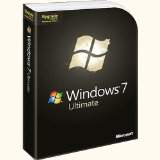

My Pick
Windows 7 Ultimate Upgrade
 
Email ThisBlogThis!Share to XShare to FacebookShare to Pinterest
Posted in | No comments
Newer Post Older Post Home

0 comments:

Post a Comment

Subscribe to: Post Comments (Atom)

Popular Posts

  • Support for Downloads without Surprises
    Last week I posted a message about the  packaging of ad supported programs along with popular software. It appears to be a common practice t...
  • Employee Manual to Prevent Cryptolocker and More
    A common way computers are infected or compromised has always been a simple yet well thought out deception. It can happen to anyone and the ...
  • What on Earth is “Cloud” Computing
    The new big buzz word in the computing world is “Cloud” computing. In the past I’ve been critical of the concept and even poked fun at Cloud...
  • Why Dancing with the Stars is #1
    Are you wondering why the heck I’m talking about TV Shows? Well, it’s still a little all about tech and some of my past experiences. In the ...
  • WinPatrol Cloud Edition Public Beta
    WinPatrol Adds the Newest Technology Available. You’ll now have access the knowledge of thousands of WinPatrol users shared in real-tim...
  • SQLite C Code to Read Cookies
    While most of the technology leaking from my brain is for a wide audience, today’s post is very technical in nature. I expected the informat...
  • Free #1 Tweak to Improve Windows Performance
    Every year billions of dollars are spent by folks just trying to improve the performance of their computers. Over the last couple years ther...
  • Forget the DVD & Save on your New Laptop
    I’ve written before about the coming death of the CD/DVD ’s for data storage.  While that time hasn’t come yet for desktop there is one real...
  • TWITTER ALERT
    Anyone who uses Twitter, DO NOT use the Twitter web interface until further notice. There is a code injection vulnerability being used tha...
  • Security Software Doesn’t Fix Human Nature
    If you’re interested in PC Security, you’ll want to check a look at research recently compiled by the folks at PC Pitstop. Even I was surpri...

Categories

  • 2007
  • 3G
  • AAPL
  • ABC
  • accelerometer
  • Achilles
  • Acrobat
  • Activex
  • adobe
  • Ads
  • advertising
  • Adware
  • Adwords
  • Airlines
  • Albany Medical Center
  • algorithm
  • Amazon
  • amber alert
  • AMUST
  • Animation
  • antimalware
  • Antivirus 2009
  • antivirus2008
  • AOL
  • Apple
  • applets
  • AQuantive
  • archive
  • Aruba
  • ASC
  • Ask.com
  • ATI
  • Audio
  • Autorun
  • AutoUpdate
  • autoupdates
  • AVG
  • Azure
  • backup
  • badware
  • Bakugan
  • Baseball
  • battery
  • Ben Edelman
  • Beta
  • BillP
  • Birthdayware
  • Bitlocker
  • Blackberry
  • BlackViper
  • bloatware
  • Blogger
  • Blogs
  • Blogspot
  • Blu-ray
  • Bluehoo
  • bluetooth
  • boinc
  • Bonjour
  • Brazil
  • break
  • Breakaway games
  • Brookman
  • Browser wars
  • C64
  • camera
  • Carpal Tunnel
  • CBS News
  • cell phone
  • CES
  • charity
  • Child Safety
  • chinese
  • Chris Cook
  • Christmas
  • Chrome
  • CIPAV
  • clampi
  • Cloud
  • CNet
  • codec
  • comodo
  • conficker
  • Control Panel
  • copy
  • coupon
  • craplets
  • crapware
  • Crawford
  • credit
  • credit card
  • credit cards
  • ctfmon
  • daylight savings time
  • Dell
  • demo
  • Discount
  • Disney
  • DNS
  • Dollar
  • Domain
  • Donna
  • Doubleclick
  • Downadup
  • Dreamscene
  • droid
  • DVD
  • Dvorak
  • Easter egg
  • eclipse
  • Ed Bott
  • Edelman
  • egreeting
  • Email
  • Environment
  • Epilepsy
  • EU
  • eWeek
  • explorer
  • facebook
  • false positive
  • false-positive
  • FBI
  • file types
  • finnish
  • FiOS
  • Firefox
  • fireworks
  • fix
  • flash
  • Flashpix
  • Fort Drum
  • foxit
  • fraud
  • FTC
  • games
  • garmin
  • Gateway
  • GE
  • George Bush
  • Germany
  • global
  • Godmode
  • Google
  • Google Research
  • GotoMyPC
  • gps
  • green
  • Groceries
  • Habitat
  • Hacks
  • hallmark
  • Halo
  • hard drive
  • Harry McCracken
  • Harry Potter
  • Harvard
  • HD-DVD
  • help
  • hidden files
  • Hijack
  • History
  • Hiton
  • homeland security
  • Honor Flight
  • hosts
  • Hubble
  • IAC
  • ICANN
  • IE
  • IE6
  • IE7
  • IE8
  • installers
  • interface
  • Internet
  • IPAddress
  • iPhone
  • iPod
  • Iraq
  • iTouch
  • iTunes
  • java
  • Kaspersky
  • Kazaa
  • kenmore
  • key logger
  • keygen
  • Keylogger
  • Kosovo
  • LA
  • lady chalupa
  • langa
  • Laptop
  • lawsuit
  • Legoland
  • Levar Burton
  • Linksys
  • Little League
  • Live Writer
  • Live.com
  • localize
  • Logo
  • London
  • LOP
  • lottery
  • Lucasfilm
  • Macintosh
  • Malware
  • Marie Domingo
  • Mary
  • McCracken
  • Media
  • Memorial Day
  • mgrs.exe
  • Micosoft
  • Microsoft
  • Microsoft Surface
  • MiFi
  • mit
  • moon
  • Mossberg
  • Mothers Day
  • MPack
  • MSFT
  • msn
  • MTV
  • Multicore
  • Music
  • MVP
  • MVP09
  • nasa
  • NBC
  • Nero
  • Netbook
  • Network
  • network solution
  • New York
  • newsletter
  • Nintendo
  • Nintendo Wii
  • NNEDV
  • Norton
  • NYAG
  • OAuth
  • obama
  • Office
  • OLPC
  • Olympics
  • OpenDNS
  • oprah
  • optimize
  • optout
  • Paperghost
  • passwords
  • Patch
  • Patriot Flight
  • PC Guy
  • pc pitstop
  • PC World
  • pcmag
  • PCWorld
  • PDC
  • PDF
  • pedipaws
  • performance
  • phishing
  • photos
  • Photoshop
  • Pinnacle
  • Piracy
  • Pirillo
  • pogue
  • Porn
  • pornware
  • postcard
  • prediction
  • prefetch
  • Preview
  • Price
  • privacy
  • Prodigy
  • Programming
  • PSP
  • Public Relations
  • Pytlovany
  • Q-Link
  • Quicktime
  • quotes
  • radio
  • realnetworks
  • realplayer
  • RegCleaner
  • RegCure
  • regedit
  • Registry
  • registry cleaner
  • Release
  • remove
  • Research
  • return policy
  • review
  • RIAA
  • Rivera
  • RMS
  • Road Runner
  • rogue
  • router
  • RTM
  • Rumor
  • safari
  • safety
  • sale
  • Sales
  • Santa Monica
  • scam
  • Schenectady
  • Scoble
  • Scott Dunn
  • Scotty
  • sd
  • Search
  • Sears
  • Security
  • Services
  • seti
  • ShellExecute
  • Shirt
  • SimCity
  • site advisor
  • slingbox
  • snopes
  • social engineering
  • social network
  • solid state disk
  • Sounds
  • Sp3
  • space station
  • SPAM
  • spamhaus
  • Special
  • speedtest
  • Spyware
  • SSD
  • Startup
  • Stats
  • Steve Bass
  • stopbadware
  • storm
  • STS-125
  • Sugar
  • Sunbelt
  • support
  • Symantec
  • tagged
  • Task Catcher
  • Task Scheduler
  • taskbar
  • Tax
  • Techorati
  • techwatch
  • teens
  • temp
  • Thinkpad
  • Thurrott
  • tinyurl
  • Tips
  • TiVo
  • TLD
  • Today Show
  • Toolbar
  • toolbars
  • top ten
  • topten
  • toys
  • Translator
  • transunion
  • Tree
  • Trend Micro
  • tricks
  • trillian
  • Trojan
  • tweaks
  • twitter
  • UAC
  • UI
  • Ultimate
  • Unbox
  • Unboxed
  • update
  • Updates
  • upgrade
  • url
  • USB
  • Utility
  • Valentine
  • Verizon
  • versions
  • Veteran
  • Video Games
  • Vista
  • Vulnerability
  • wall-e
  • war
  • Washington
  • web2.0
  • Webslice
  • WGA
  • Widget
  • WiFi
  • Wii
  • WiiItis
  • wiimote
  • Win7
  • Windows 7
  • Windows Secrets
  • Windows Update
  • Windows7
  • WinPartrol
  • WinPatrol
  • winpatrolflash
  • WinPatrolToGo
  • Winter
  • Wireless
  • Wristband
  • WSJ
  • WWII
  • x64
  • Xbox
  • XO
  • XO Laptop
  • XOActivity
  • Xobni
  • xolaptop
  • XP
  • XP SP3
  • xp3
  • Yahoo
  • Zero Day
  • Zone Alarm
  • Zwinky

Blog Archive

  • ►  2013 (31)
    • ►  November (2)
    • ►  October (1)
    • ►  September (1)
    • ►  August (2)
    • ►  July (3)
    • ►  June (5)
    • ►  May (2)
    • ►  April (3)
    • ►  March (2)
    • ►  February (5)
    • ►  January (5)
  • ►  2012 (30)
    • ►  December (3)
    • ►  November (3)
    • ►  October (2)
    • ►  September (2)
    • ►  August (2)
    • ►  July (3)
    • ►  June (2)
    • ►  May (1)
    • ►  April (4)
    • ►  March (4)
    • ►  February (2)
    • ►  January (2)
  • ►  2011 (28)
    • ►  December (4)
    • ►  November (2)
    • ►  October (4)
    • ►  September (2)
    • ►  August (2)
    • ►  July (2)
    • ►  June (2)
    • ►  May (2)
    • ►  April (2)
    • ►  March (2)
    • ►  February (3)
    • ►  January (1)
  • ▼  2010 (44)
    • ►  December (2)
    • ►  November (3)
    • ►  October (3)
    • ►  September (4)
    • ▼  August (3)
      • Results from Unemployment Give Away
      • Free Security for People Looking for Work
      • What My Wife Loves About Windows 7
    • ►  July (3)
    • ►  June (3)
    • ►  May (4)
    • ►  April (4)
    • ►  March (3)
    • ►  February (3)
    • ►  January (9)
  • ►  2009 (90)
    • ►  December (6)
    • ►  November (8)
    • ►  October (6)
    • ►  September (4)
    • ►  August (4)
    • ►  July (12)
    • ►  June (6)
    • ►  May (11)
    • ►  April (7)
    • ►  March (9)
    • ►  February (9)
    • ►  January (8)
  • ►  2008 (122)
    • ►  December (9)
    • ►  November (11)
    • ►  October (14)
    • ►  September (6)
    • ►  August (9)
    • ►  July (9)
    • ►  June (10)
    • ►  May (13)
    • ►  April (8)
    • ►  March (10)
    • ►  February (10)
    • ►  January (13)
  • ►  2007 (155)
    • ►  December (15)
    • ►  November (14)
    • ►  October (12)
    • ►  September (14)
    • ►  August (12)
    • ►  July (13)
    • ►  June (11)
    • ►  May (19)
    • ►  April (17)
    • ►  March (21)
    • ►  February (7)
Powered by Blogger.

About Me

Unknown
View my complete profile