Billps Tudios

  • Subscribe to our RSS feed.
  • Twitter
  • StumbleUpon
  • Reddit
  • Facebook
  • Digg

Wednesday, 29 September 2010

What on Earth is “Cloud” Computing

Posted on 08:44 by Unknown

The new big buzz word in the computing world is “Cloud” computing. In the past I’ve been critical of the concept and even poked fun at Cloud Computing.  Last month I released WinPatrol Cloud Edition and quickly learned that most people have no clue what Cloud computing means.

In simple terms, Cloud computer refers to having programs and data reside on an outside network device instead of permanently on your local hard drive. In theory it turns your browser into a flexible smart terminal and the main program you execute. The program you run and data you store is somewhere else on the planet similar to the old concept of a main frame. 

cloud
Even the term cloud comes from the representation of actions defined by newer tools used to create programmer flow charts.

So why are we going backwards to terminals and main frames?  It turns out in this day of application embed browsers and high speed internet “some” applications are very well suited for a cloud environment. If you’re using Amazon or Facebook, you’re already using a cloud application. A cloud can be public or private and becomes most valuable when a service or data can be shared.

You may be surprised to learn data including your photo may already shared by various cloud applications. Here’s an example of how my Email add-on called Xobni uses data uploaded to the LinkedIn service. This information is automatically displayed if I select an Email from Chris.
cloudchris


Other applications may use your photo along with information from your Twitter or Facebook account.  While I love having someone’s personal data available while answering Email you might want to consider reviewing some of your privacy settings on various social applications.


The WinPatrol Cloud
The planned release of my new software made me wake up to how little folks understand about the Cloud Computing. The WinPatrol Cloud Edition is considered a “Software-as-a-Service” version of a cloud and relies on a collaboration approach to bring a huge value to all it’s users. There are two parts to our new PLUS service.

One part is based on software behavior and actions taken by WinPatrol FREE and PLUS users. The WinPatrol cloud will track how users handle their decision to handle configuration changes. This information is accumulated continuously and will be available to other WinPatrol PLUS users.  It’s like the Millionaire's "Ask the Audience" feature.  User based information is available now and in the future additional information on software behavior will help users decide if a program is worth keeping.

The second part of the WinPatrol Cloud is a poll where users can provide their personal feedback on files that are detected. The poll data will be available to both FREE and PLUS users.

winpatrolcloudex Click image for example of complete information available to PLUS users.


Resources:
microsoftcloud
Microsoft | Cloud Services


amazoncloud


 googlecloud
Google App Engine

Read More
Posted in | No comments

Tuesday, 21 September 2010

WinPatrol Cloud Edition Public Beta

Posted on 21:18 by Unknown

cloud1

WinPatrol Adds the Newest Technology Available.

You’ll now have access the knowledge of thousands of WinPatrol users shared in real-time within the new WinPatrol Cloud.  You’re not working alone anymore when you have to decide on keeping or dumping a file found on your system.

The new WinPatrol Cloud Edition allows collaborate and share feedback on both legitimate and malicious files found on their system. When requesting PLUS Info users will have even more information to base their decisions on.  Even WinPatrol Free users can participate and will benefit from the over one million WinPatrol users. While WinPatrol is over 11 years old, the new Cloud Edition adds the newest technology available to already proven, popular software.

cloud2
One example of shared Cloud data.
Want to see the full page of PLUS Info just click the image above.

Additional Changes

  • * Fixed bug monitoring DWORD registry types
    * Fixed bug in changing Service status.
    * Quicker Detection of real-time changes.


This is still a beta and only the beginning.  As more shared data becomes available and beta testing continues the results will be the most stable, powerful version of WinPatrol in years.


Interested in testing?

Download WinPatrol Cloud Edition Beta

Read More
Posted in | No comments

TWITTER ALERT

Posted on 06:23 by Unknown

Anyone who uses Twitter, DO NOT use the Twitter web interface until further notice.

There is a code injection vulnerability being used that will send malicious tweets in your name just by mousing over an infected message.

If you’re using Twitter use your phone or other device, not the web interface. 

If you see this message then you’ve retweeted the infected message.

twitterbug

If you can, use your phone to delete your last message.

Here’s an example of what you may never see, but you may repost without knowing it.

twitterbug1


Update: Twitter Security Team reports this XSS attack has been fully patched.  Personally, I’m going to wait until later today to use the web interface just in case. ;)

Read More
Posted in | No comments

Sunday, 12 September 2010

Forget the DVD & Save on your New Laptop

Posted on 14:58 by Unknown

I’ve written before about the coming death of the CD/DVD’s for data storage.  While that time hasn’t come yet for desktop there is one realm where CD/DVD players are no longer needed. If you’re getting ready to purchase a new laptop the one place you can really save is by shopping for a machine without a CD/DVD player. Not only will you save cash, but you’ll also save big time on weight and energy consumption.

What about Installing Software?
One of the benefits of a CD/DVD player has been for installing new software that is sold on disc format. In these days of broadband access, it’s more common to install entire applications from the web. If you’re using a home network with any other computer that has a CD/DVD then you already have one. It’s a simple process to set any CD/DVD as a shared device. It can then be mapped to your laptop so it behaves like a local device. Windows 7 makes it even easier.

What about listening to music or watching movies?
My guess is most of you have little devices called iPods, MP3-Players or Smart Phones that store plenty of music and even play movies. Why would you use all the power on your laptop to play a movie off a DVD when you can read it off an alternate digital storage device. If you don’t have one now you’ll be able to afford one by not purchasing a CD/DVD on your new laptop.

Invest the cash you save
I was asked to write an article about saving money. So, you’re saving money by not having a CD/DVD let’s spend it!
ssd1 
The most expensive new option on laptops is the one I recommend the most. More than CPU speed, 64 bits or even memory I encourage folks to choose a Solid State Drive(SSD).  I’m sure I’ll get some arguments and hopefully the future will bring better prices I put a high value on my data now. The cost of data restoration for a normal hard drive will be more than the cost of your laptop. 

The next time you’re on a plane look up at the overheard compartments and check out how much vibration there is even on the smoothest flight. A SSD is more expensive but has no moving parts. It may hold less data but if you’re on a home network you really want to store much of your data on a single networked machine that performs regular backups.

ssd
Prices via www.lenovo.com 9/12/2010

Do you really need 500 GB on a laptop? Two years ago I could only get a 64 GB SSD on my ThinkPad X61. Even with 10 GB used for restoration data I still have 14 GB free. That’s amazing considering I have all my development tools(Visual Studios 2010), photo tools(including Photoshop), video tools and Microsoft Office Ultimate all installed on this system.

ssd64

While I do store a number of photos and music on my laptop, most of my photos are saved on a network drive which can also be shared by other family members.

If you have other ideas on saving cash on a new laptop let me know.

Read More
Posted in | No comments

Saturday, 28 August 2010

Results from Unemployment Give Away

Posted on 17:09 by Unknown

Over the years I’ve offered special discounts or have used the proceeds from WinPatrol to help when I could.  One common benefactor of our support have been veterans.  My favorite special event was Veterans Day in 2008. BillP Studios donated over $2000 to our local Honor Flight Network helping to cover the costs for WII veterans a chance to visit their memorial in Washington DC.

This month I decided to give away WinPatrol PLUS to unemployed job seekers hoping they could spent more time seeking and less time trying to resolve computer problems.  Click here for more details.

I knew this give away would be different but I have been overwhelmed by the reactions. The mail I’ve received from current WinPatrol fans has been very positive and it makes me proud.  The comments included in the requests from unemployed job seeker however caught me by surprise. While everyone is grateful and happy receiving free software reading between the lines I can tell how truly desperate and beat down many people feel.

I can tell from our comments that many are in serious desperate situations.

“Thanks so much for providing this !! I have been unemployed for over a year now and the job market just doesn't seem to be getting any better “

From Jeff

“Right now I must worry more about keeping the lights on..... but mark my words: I won't forget this kindness and will pay you in full when I am able to do so.

It just makes a person feel better knowing that someone out there cares about others.”

Bless you !!!”

I am pleased that folks were proud enough to participate and accept our free offer. Most everyone was able to produce some proof of the frustration they’ve experienced trying to find work.

unemployed

Sorry I wasn’t able to provide a free code to everyone who havesuffered financial problems but this special was aimed at unemployed job seekers. I’m sure we’ll come up with other specials in the future for those in real need.

This offer is still good but only during the month of August so if you haven’t, act now to take advantage of this free give-away.

Read More
Posted in | No comments

Friday, 20 August 2010

Free Security for People Looking for Work

Posted on 08:16 by Unknown

(Scotia, NY) WinPatrol Supports Unemployed Job Seekers
It’s no secret that the unemployment numbers around the world are at an amazing high. At least once a week I receive a plea from someone who is unemployed asking for a discounted upgrade to WinPatrol PLUS.

For someone looking for a new job, a computer is a must have tool. Unfortunately, they’re also the targets of scam artists who take advantage of folks who need help the most.

In response to the need to protect and help the unemployed I’m giving away our $29.95 single user license with all the benefits of our standard WinPatrol PLUS upgrade.  As a computer professional I’ve been blessed never to be without work but these days unemployment can happen to anyone. Visiting new web sites is a time when WinPatrol PLUS is needed the most. I’d much rather have someone using their time to find that perfect job instead of fixing computer problems.

All that’s required is to scan in or provide a screen capture proof you have recently received unemployment benefits or other reasonable proof of unemployment. Sorry, but you can’t just Email support@winpatrol.com and say “I’m unemployed, give me a code”. Some evidence is required but our give away is even available to our friends outside the U.S.  Requests will be will be processed within 24-48 hours.

Here’s an example of what New York State provides to those receiving benefits and the kind of proof acceptable.

unemployed

I’ve blurred out the name on this example but when you send proof you should just blur out your social security number or other private information I wouldn’t need. Send your proof to support@winpatrol.com or mail to
BillP Studios
32 Sunnyside Rd.
Scotia, NY 12302
Include your name and Email address printed clearly in your request. Your information will of course be considered confidential.

For now, this is a limited offer available until the end of August 2010.  If you know someone who is unemployed but could use WinPatrol PLUS send them here to http://bitsfrombill.com. I challenge other software companies to do the same.


* A screen capture using Windows is possible by pressing the Alt key + the PrtSc key. A image of the current window will be stored in the Windows clipboard.  You can then open your favorite paint or photo program and “paste” into a new document.  Edit out your SS# if it’s visible and attach the file to an Email to support@WinPatrol.com

Read More
Posted in | No comments

Sunday, 15 August 2010

What My Wife Loves About Windows 7

Posted on 20:30 by Unknown

My wife Cindi is a typical computer user who knows how to do what she needs and no more. She has no interest in how it all works but she expects her computer to work in a consistent manner. She enjoys learning new features but only if it’s related to her daily activities and/or makes life easier.

When her new ThinkPad came earlier this year I worried that she wouldn’t welcome the changes.  I don’t know about other geek husbands out there but “anything” that doesn’t work right on Cindi’s computer is my fault. :)

So I was nervous when I upgraded Cindi from her Windows XP machine to a brand new Windows 7 interface. To my surprise and delight the conversion was successful and Cindi has been very happy with Windows 7.

Network Discovery
The first new treat she discovered using Windows 7 was the quick detection of our wireless network. In the past, Cindi’s laptop would boot up and while it appeared to be ready it was my fault when she couldn’t get online.win7b  The engineers at Microsoft made this feature a priority and they nailed it.  Cindi can now check for new baby photos on Facebook  before her first sip of coffee.


System Tray Management
While we’re looking at the Windows 7 system tray I can tell you about another new feature that makes her happy.  Note the little up arrow that now contains all the icons that used to mess up  the system tray. win7e This keeps the Windows system tray much neater and more manageable. Considering all the great new features in Windows 7 it seems silly to just talk about system tray issues. Truth is task bar icons have always been a major annoyance to PC users.


Show Desktop
There’s one feature that I use all the time and only writing this article did Cindi finally understand one of the mysteries of Windows 7. win7c In the very bottom right hand corner is a small box doesn’t appear to have a purpose. Under the Windows 7 interface this plain little box is the “Show Desktop” feature. This is a great feature and while it was available under Windows XP, it wasn’t widely used. The implementation as a little square has confused many but once they find out how it works everyone loves it. So, if you’re one of those people who wonder why sometimes all your windows disappear, it’s because your mouse hovered over this little box.


File Search Filter
One of single most important tasks that non-computer experts have dealt with is “Where the heck did I put that file”?  Teaching users how to locate and open a file is the difference between a computer user and someone who uses a computer.

Windows has a standard Open File dialog available to developers and it is used by most applications including Windows Explorer and Word. This provides a fairly consistent interface. Windows 7 Open dialog now includes great enhancements aimed and making finding that file easier.

In my example below Cindi was looking for a document she needed for her work with Scotia Rotary.  Typing in the word “Rotary” instantly displayed a number of recent documents related to Rotary.  In addition, one of the other new Win7 features displays text thumbnails helping her find the exact document she wanted.

windows7b
Home Group

What’s even nicer about Windows 7 is that Cindi doesn’t need to know which folder her file is located in. Using Windows Home Groups her computer combines her old “My Documents” folder with other folders that have been assigned to her using the Windows 7 Home Groups.  Some of her folders are located on our home network.

Many years ago I listened to Bill Gates discuss how the future of Windows would be a “Document Concentric” system instead of focusing on loading programs. I argued the point strongly but there is the possibility I may have been wrong.  :)

Speed
One of the features that makes Cindi happiest is the performance of her new Windows 7 laptop. While having a newer machine doesn’t hurt, her Lenovo ThinkPad is “Windows 7 aware” and takes advantage of its new architecture. I’ve written before how Windows 7 has improved handling of multicore processors. I’m also an advocate of the more expensive solid state hard drives and Windows 7 knows how to make the most utilizing her primary drive which is small but has no moving parts

Power Management
One of the welcome benefits of her new laptop is enhanced battery life. Windows 7 allowed me to configure her laptop for outstanding usage when not plugged. The power management not only saves on batter life Cindi no longer complains that her laptop is burning her legs.

win7power


I’ve left out so many other great new Windows features but my point was to show how Windows 7 provides instant improvements to non-computer experts. My biggest surprise is that all these new features are being utilized with a minimal learning curve. I still occasionally get blamed when some applications misbehave but Windows 7 has been a joy.

So obviously, I no longer recommend you order new computers with Windows XP. I also recommend if you’ve been using Vista stop now and order Windows 7 as soon as possible. Your time is important and Windows 7 is a worthwhile investment.


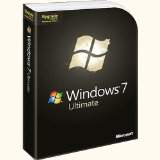
My Pick
Windows 7 Ultimate Upgrade
 
Read More
Posted in | No comments
Newer Posts Older Posts Home
Subscribe to: Posts (Atom)

Popular Posts

  • Support for Downloads without Surprises
    Last week I posted a message about the  packaging of ad supported programs along with popular software. It appears to be a common practice t...
  • Employee Manual to Prevent Cryptolocker and More
    A common way computers are infected or compromised has always been a simple yet well thought out deception. It can happen to anyone and the ...
  • WinPatrol Cloud Edition Public Beta
    WinPatrol Adds the Newest Technology Available. You’ll now have access the knowledge of thousands of WinPatrol users shared in real-tim...
  • What on Earth is “Cloud” Computing
    The new big buzz word in the computing world is “Cloud” computing. In the past I’ve been critical of the concept and even poked fun at Cloud...
  • Four Secret Reasons Why Win7 is Ten Times Better
    It’s no secret that I’ve never been a fan of Windows Vista. I really wanted to love it but even as a designated Microsoft MVP I couldn’t dri...
  • SQLite C Code to Read Cookies
    While most of the technology leaking from my brain is for a wide audience, today’s post is very technical in nature. I expected the informat...
  • Free #1 Tweak to Improve Windows Performance
    Every year billions of dollars are spent by folks just trying to improve the performance of their computers. Over the last couple years ther...
  • Forget the DVD & Save on your New Laptop
    I’ve written before about the coming death of the CD/DVD ’s for data storage.  While that time hasn’t come yet for desktop there is one real...
  • Can Facebook be Trusted?
    Last week Facebook rolled out another round of what they consider easy to use privacy settings. What they’re really doing is trying to appea...
  • TWITTER ALERT
    Anyone who uses Twitter, DO NOT use the Twitter web interface until further notice. There is a code injection vulnerability being used tha...

Categories

  • 2007
  • 3G
  • AAPL
  • ABC
  • accelerometer
  • Achilles
  • Acrobat
  • Activex
  • adobe
  • Ads
  • advertising
  • Adware
  • Adwords
  • Airlines
  • Albany Medical Center
  • algorithm
  • Amazon
  • amber alert
  • AMUST
  • Animation
  • antimalware
  • Antivirus 2009
  • antivirus2008
  • AOL
  • Apple
  • applets
  • AQuantive
  • archive
  • Aruba
  • ASC
  • Ask.com
  • ATI
  • Audio
  • Autorun
  • AutoUpdate
  • autoupdates
  • AVG
  • Azure
  • backup
  • badware
  • Bakugan
  • Baseball
  • battery
  • Ben Edelman
  • Beta
  • BillP
  • Birthdayware
  • Bitlocker
  • Blackberry
  • BlackViper
  • bloatware
  • Blogger
  • Blogs
  • Blogspot
  • Blu-ray
  • Bluehoo
  • bluetooth
  • boinc
  • Bonjour
  • Brazil
  • break
  • Breakaway games
  • Brookman
  • Browser wars
  • C64
  • camera
  • Carpal Tunnel
  • CBS News
  • cell phone
  • CES
  • charity
  • Child Safety
  • chinese
  • Chris Cook
  • Christmas
  • Chrome
  • CIPAV
  • clampi
  • Cloud
  • CNet
  • codec
  • comodo
  • conficker
  • Control Panel
  • copy
  • coupon
  • craplets
  • crapware
  • Crawford
  • credit
  • credit card
  • credit cards
  • ctfmon
  • daylight savings time
  • Dell
  • demo
  • Discount
  • Disney
  • DNS
  • Dollar
  • Domain
  • Donna
  • Doubleclick
  • Downadup
  • Dreamscene
  • droid
  • DVD
  • Dvorak
  • Easter egg
  • eclipse
  • Ed Bott
  • Edelman
  • egreeting
  • Email
  • Environment
  • Epilepsy
  • EU
  • eWeek
  • explorer
  • facebook
  • false positive
  • false-positive
  • FBI
  • file types
  • finnish
  • FiOS
  • Firefox
  • fireworks
  • fix
  • flash
  • Flashpix
  • Fort Drum
  • foxit
  • fraud
  • FTC
  • games
  • garmin
  • Gateway
  • GE
  • George Bush
  • Germany
  • global
  • Godmode
  • Google
  • Google Research
  • GotoMyPC
  • gps
  • green
  • Groceries
  • Habitat
  • Hacks
  • hallmark
  • Halo
  • hard drive
  • Harry McCracken
  • Harry Potter
  • Harvard
  • HD-DVD
  • help
  • hidden files
  • Hijack
  • History
  • Hiton
  • homeland security
  • Honor Flight
  • hosts
  • Hubble
  • IAC
  • ICANN
  • IE
  • IE6
  • IE7
  • IE8
  • installers
  • interface
  • Internet
  • IPAddress
  • iPhone
  • iPod
  • Iraq
  • iTouch
  • iTunes
  • java
  • Kaspersky
  • Kazaa
  • kenmore
  • key logger
  • keygen
  • Keylogger
  • Kosovo
  • LA
  • lady chalupa
  • langa
  • Laptop
  • lawsuit
  • Legoland
  • Levar Burton
  • Linksys
  • Little League
  • Live Writer
  • Live.com
  • localize
  • Logo
  • London
  • LOP
  • lottery
  • Lucasfilm
  • Macintosh
  • Malware
  • Marie Domingo
  • Mary
  • McCracken
  • Media
  • Memorial Day
  • mgrs.exe
  • Micosoft
  • Microsoft
  • Microsoft Surface
  • MiFi
  • mit
  • moon
  • Mossberg
  • Mothers Day
  • MPack
  • MSFT
  • msn
  • MTV
  • Multicore
  • Music
  • MVP
  • MVP09
  • nasa
  • NBC
  • Nero
  • Netbook
  • Network
  • network solution
  • New York
  • newsletter
  • Nintendo
  • Nintendo Wii
  • NNEDV
  • Norton
  • NYAG
  • OAuth
  • obama
  • Office
  • OLPC
  • Olympics
  • OpenDNS
  • oprah
  • optimize
  • optout
  • Paperghost
  • passwords
  • Patch
  • Patriot Flight
  • PC Guy
  • pc pitstop
  • PC World
  • pcmag
  • PCWorld
  • PDC
  • PDF
  • pedipaws
  • performance
  • phishing
  • photos
  • Photoshop
  • Pinnacle
  • Piracy
  • Pirillo
  • pogue
  • Porn
  • pornware
  • postcard
  • prediction
  • prefetch
  • Preview
  • Price
  • privacy
  • Prodigy
  • Programming
  • PSP
  • Public Relations
  • Pytlovany
  • Q-Link
  • Quicktime
  • quotes
  • radio
  • realnetworks
  • realplayer
  • RegCleaner
  • RegCure
  • regedit
  • Registry
  • registry cleaner
  • Release
  • remove
  • Research
  • return policy
  • review
  • RIAA
  • Rivera
  • RMS
  • Road Runner
  • rogue
  • router
  • RTM
  • Rumor
  • safari
  • safety
  • sale
  • Sales
  • Santa Monica
  • scam
  • Schenectady
  • Scoble
  • Scott Dunn
  • Scotty
  • sd
  • Search
  • Sears
  • Security
  • Services
  • seti
  • ShellExecute
  • Shirt
  • SimCity
  • site advisor
  • slingbox
  • snopes
  • social engineering
  • social network
  • solid state disk
  • Sounds
  • Sp3
  • space station
  • SPAM
  • spamhaus
  • Special
  • speedtest
  • Spyware
  • SSD
  • Startup
  • Stats
  • Steve Bass
  • stopbadware
  • storm
  • STS-125
  • Sugar
  • Sunbelt
  • support
  • Symantec
  • tagged
  • Task Catcher
  • Task Scheduler
  • taskbar
  • Tax
  • Techorati
  • techwatch
  • teens
  • temp
  • Thinkpad
  • Thurrott
  • tinyurl
  • Tips
  • TiVo
  • TLD
  • Today Show
  • Toolbar
  • toolbars
  • top ten
  • topten
  • toys
  • Translator
  • transunion
  • Tree
  • Trend Micro
  • tricks
  • trillian
  • Trojan
  • tweaks
  • twitter
  • UAC
  • UI
  • Ultimate
  • Unbox
  • Unboxed
  • update
  • Updates
  • upgrade
  • url
  • USB
  • Utility
  • Valentine
  • Verizon
  • versions
  • Veteran
  • Video Games
  • Vista
  • Vulnerability
  • wall-e
  • war
  • Washington
  • web2.0
  • Webslice
  • WGA
  • Widget
  • WiFi
  • Wii
  • WiiItis
  • wiimote
  • Win7
  • Windows 7
  • Windows Secrets
  • Windows Update
  • Windows7
  • WinPartrol
  • WinPatrol
  • winpatrolflash
  • WinPatrolToGo
  • Winter
  • Wireless
  • Wristband
  • WSJ
  • WWII
  • x64
  • Xbox
  • XO
  • XO Laptop
  • XOActivity
  • Xobni
  • xolaptop
  • XP
  • XP SP3
  • xp3
  • Yahoo
  • Zero Day
  • Zone Alarm
  • Zwinky

Blog Archive

  • ▼  2013 (31)
    • ▼  November (2)
      • Employee Manual to Prevent Cryptolocker and More
      • My First State-Sponsored Attack
    • ►  October (1)
    • ►  September (1)
    • ►  August (2)
    • ►  July (3)
    • ►  June (5)
    • ►  May (2)
    • ►  April (3)
    • ►  March (2)
    • ►  February (5)
    • ►  January (5)
  • ►  2012 (30)
    • ►  December (3)
    • ►  November (3)
    • ►  October (2)
    • ►  September (2)
    • ►  August (2)
    • ►  July (3)
    • ►  June (2)
    • ►  May (1)
    • ►  April (4)
    • ►  March (4)
    • ►  February (2)
    • ►  January (2)
  • ►  2011 (28)
    • ►  December (4)
    • ►  November (2)
    • ►  October (4)
    • ►  September (2)
    • ►  August (2)
    • ►  July (2)
    • ►  June (2)
    • ►  May (2)
    • ►  April (2)
    • ►  March (2)
    • ►  February (3)
    • ►  January (1)
  • ►  2010 (44)
    • ►  December (2)
    • ►  November (3)
    • ►  October (3)
    • ►  September (4)
    • ►  August (3)
    • ►  July (3)
    • ►  June (3)
    • ►  May (4)
    • ►  April (4)
    • ►  March (3)
    • ►  February (3)
    • ►  January (9)
  • ►  2009 (90)
    • ►  December (6)
    • ►  November (8)
    • ►  October (6)
    • ►  September (4)
    • ►  August (4)
    • ►  July (12)
    • ►  June (6)
    • ►  May (11)
    • ►  April (7)
    • ►  March (9)
    • ►  February (9)
    • ►  January (8)
  • ►  2008 (122)
    • ►  December (9)
    • ►  November (11)
    • ►  October (14)
    • ►  September (6)
    • ►  August (9)
    • ►  July (9)
    • ►  June (10)
    • ►  May (13)
    • ►  April (8)
    • ►  March (10)
    • ►  February (10)
    • ►  January (13)
  • ►  2007 (155)
    • ►  December (15)
    • ►  November (14)
    • ►  October (12)
    • ►  September (14)
    • ►  August (12)
    • ►  July (13)
    • ►  June (11)
    • ►  May (19)
    • ►  April (17)
    • ►  March (21)
    • ►  February (7)
Powered by Blogger.

About Me

Unknown
View my complete profile